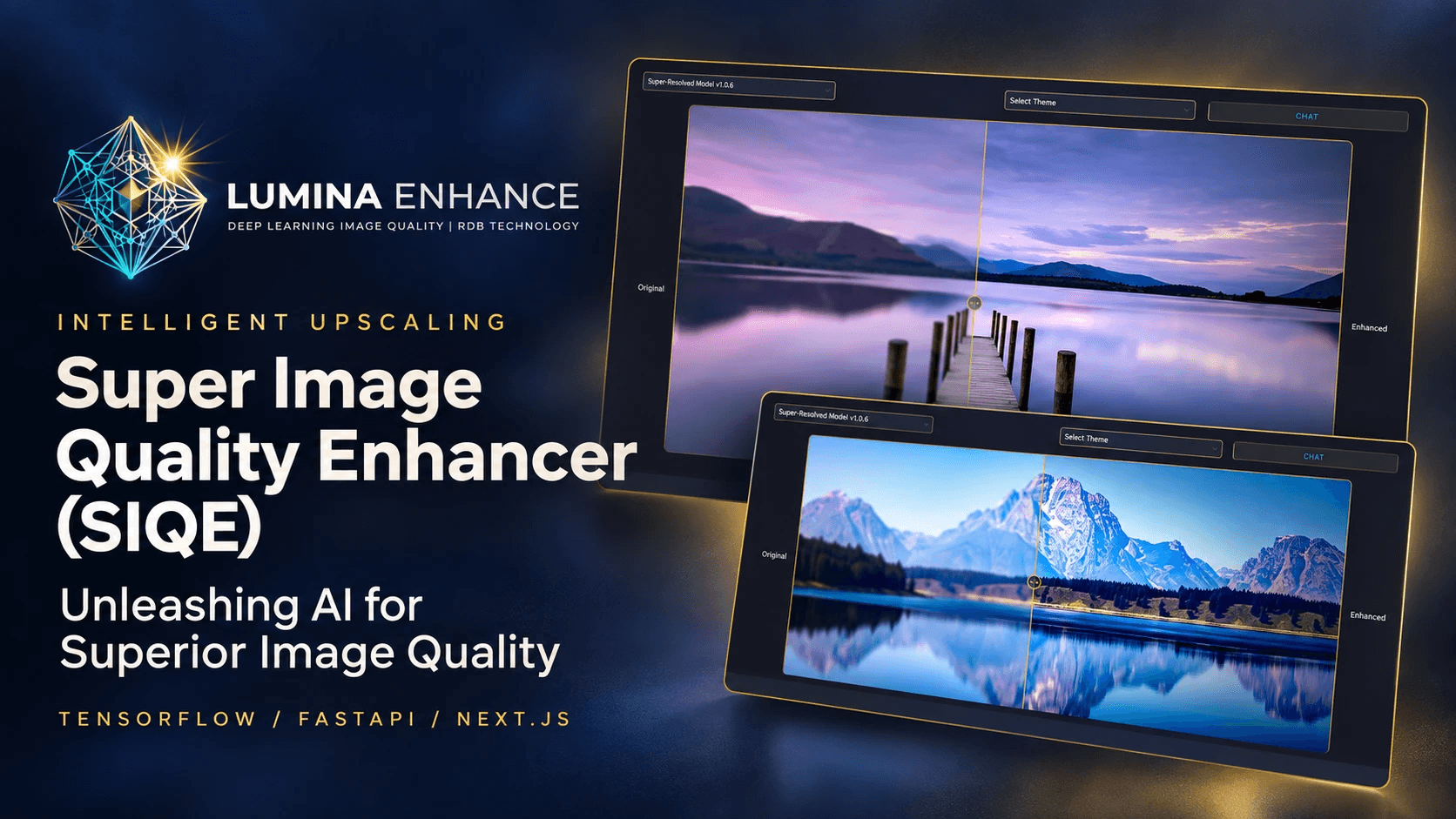

Enhance, edit, organise and automate your images, and design and train the AI models that do it. Self-hosted. One command to run. Your GPU, your files, your models.

Note
Status: Phase 6 of 7 is complete. All five workspaces are ready to use, hardened against huge and damaged images: the Studio editor, the AI Lab (upscaling, denoising, deblurring, colorizing, object removal, background removal, face restoration and your original SIQE model), the Library (search by description, duplicates, smart albums, people, location removal and an import folder), Flows (visual pipelines for batches and watched folders, with API keys and a command line) and Forge (design, train, publish and export your own models), and AI Lab also runs ONNX models you bring. Model packages for text-to-image and image editing come next; see the roadmap.
What it is · Screenshots · Quick start · Updating · Hardware · Configuration · Automation · How it works · Development · Releasing · Troubleshooting · Roadmap · Heritage and credits
SIQE Studio brings three earlier projects together into one platform: the Super Image Quality Enhancer research model, and the Image-modifier sorting and duplicate tools. It's organised into five workspaces:
| Workspace | What it does | Phase |
|---|---|---|
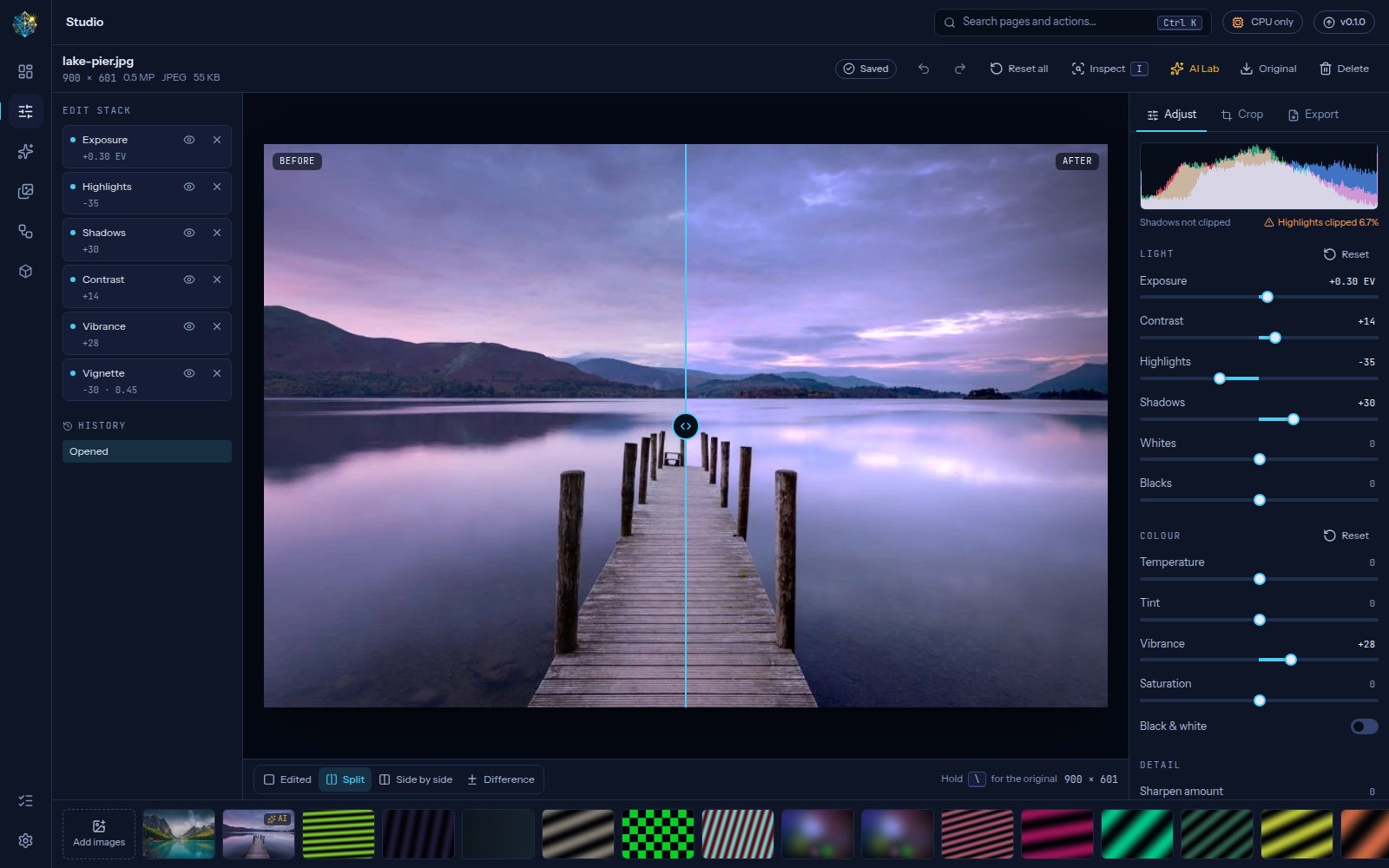
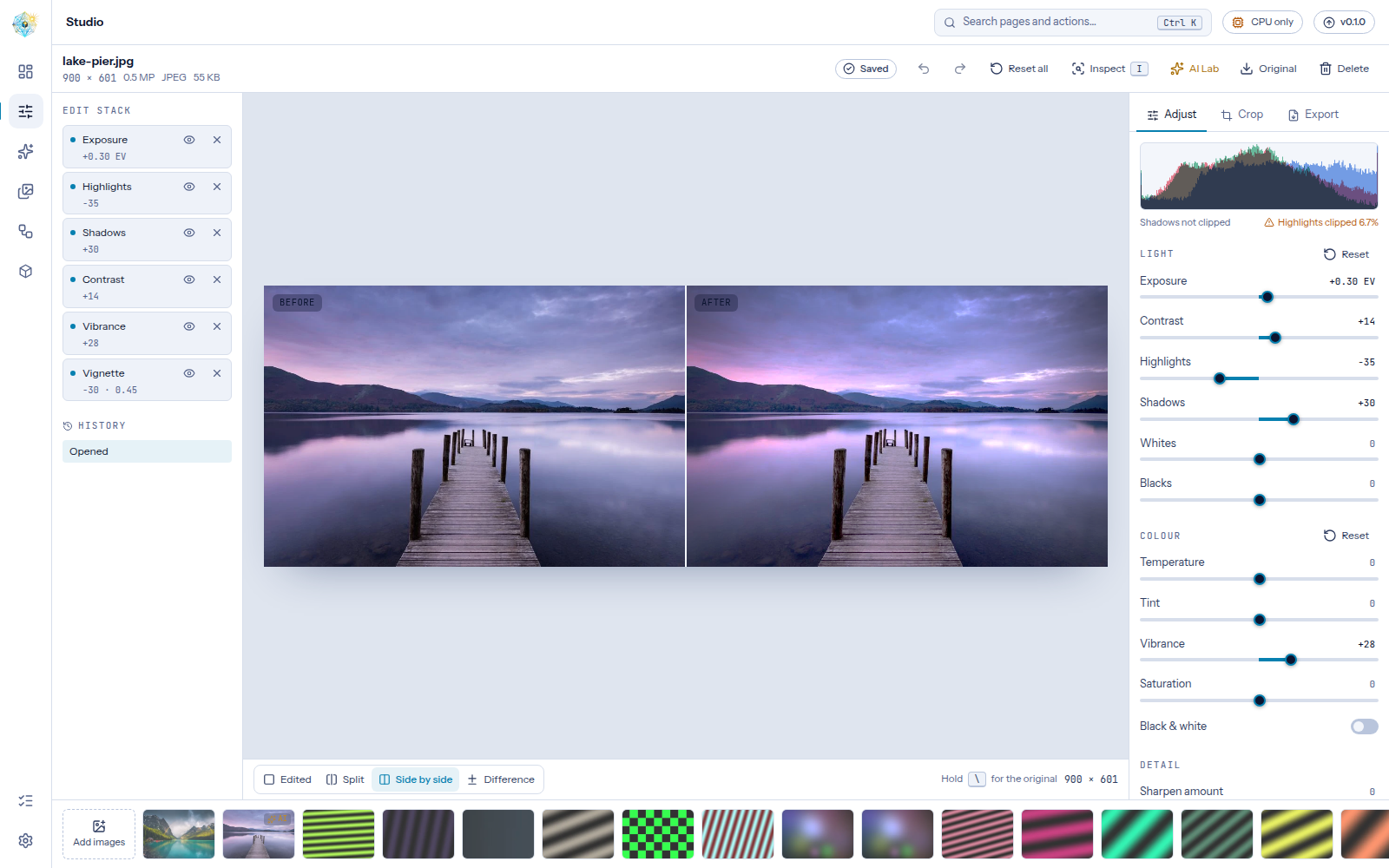
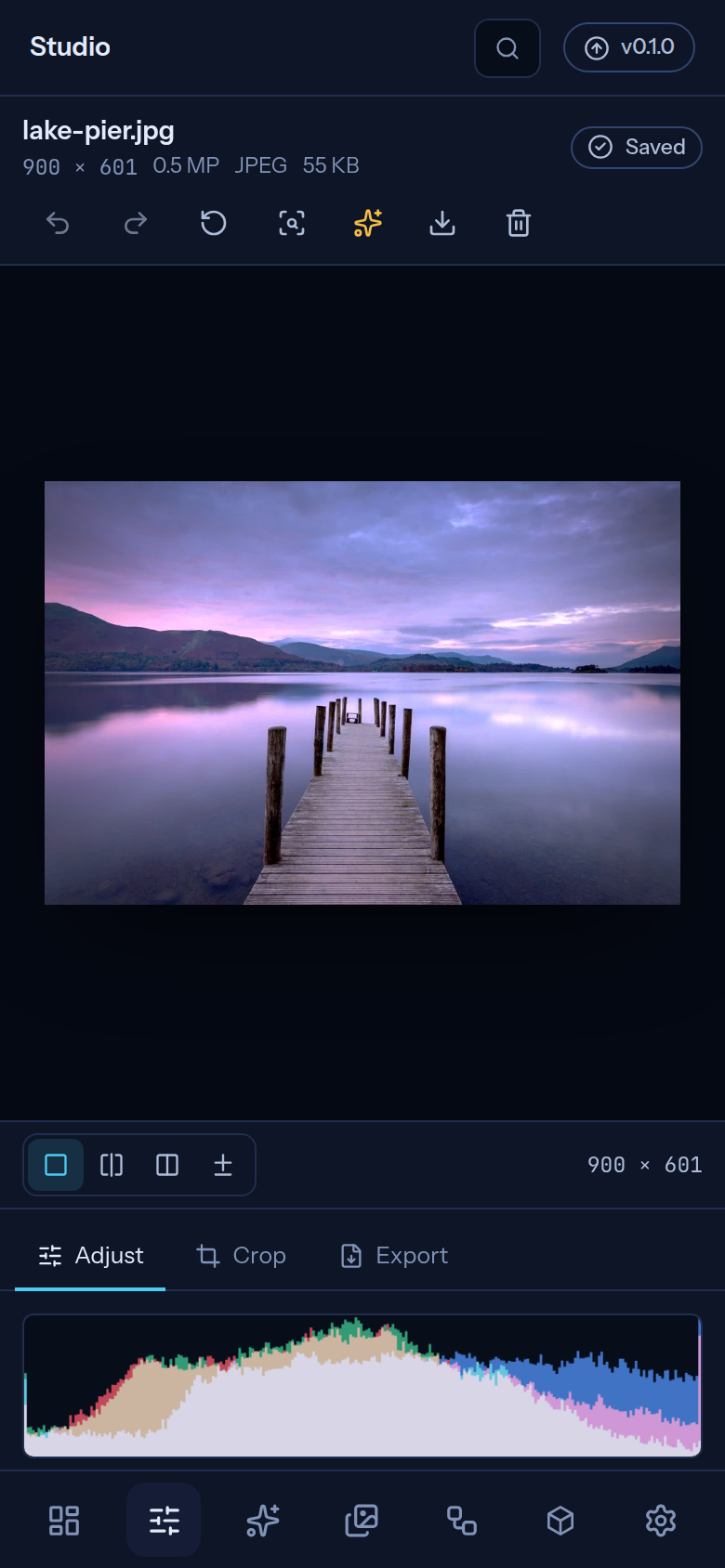
| Studio | Non-destructive editor with a live GPU preview: light and colour adjustments, crop and rotate, compare views, histogram, export to any common format with a target size. Ready now. | 1 |
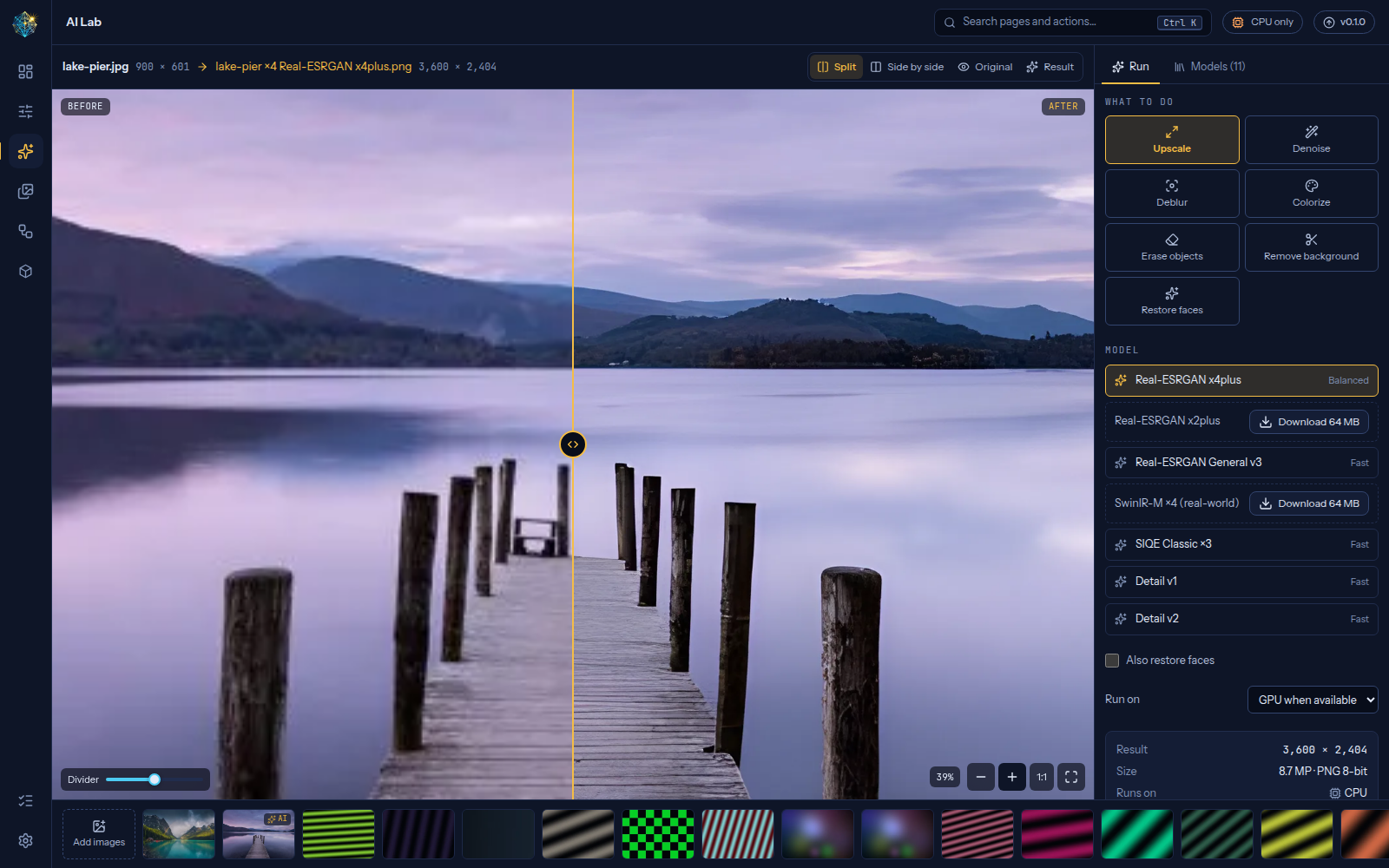
| AI Lab | Upscale ×2/×3/×4 at any size with tiled inference, restore faces, remove backgrounds, denoise, deblur, colorize black and white photos, erase objects, add your own ONNX models, and compare at full resolution. Includes SIQE Classic, the original model. Ready now. | 2 |
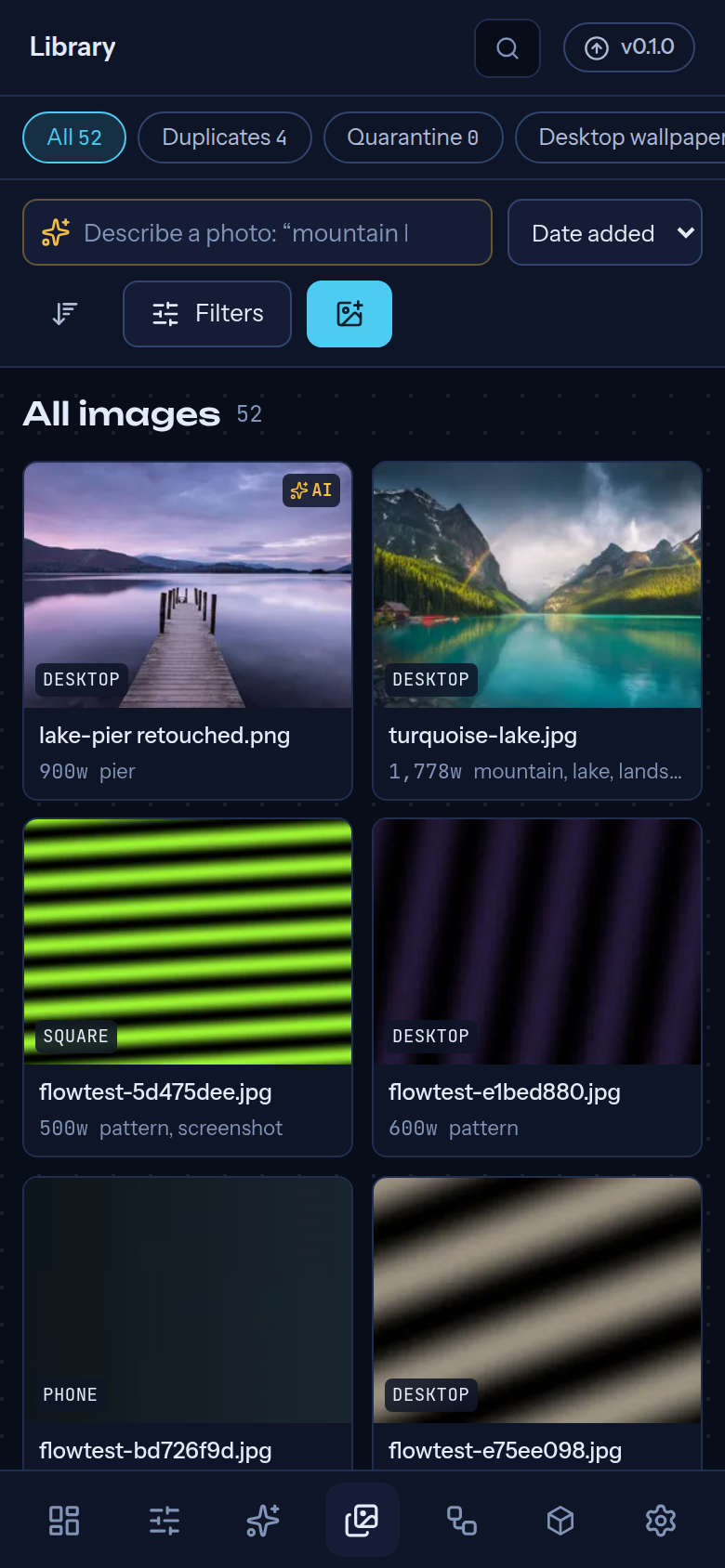
| Library | Search by describing a photo, find similar images, automatic tags, duplicate groups that keep the best copy (with quarantine and undo), smart albums from rules, camera details and location removal without re-encoding, and an import folder. Ready now. | 3 |
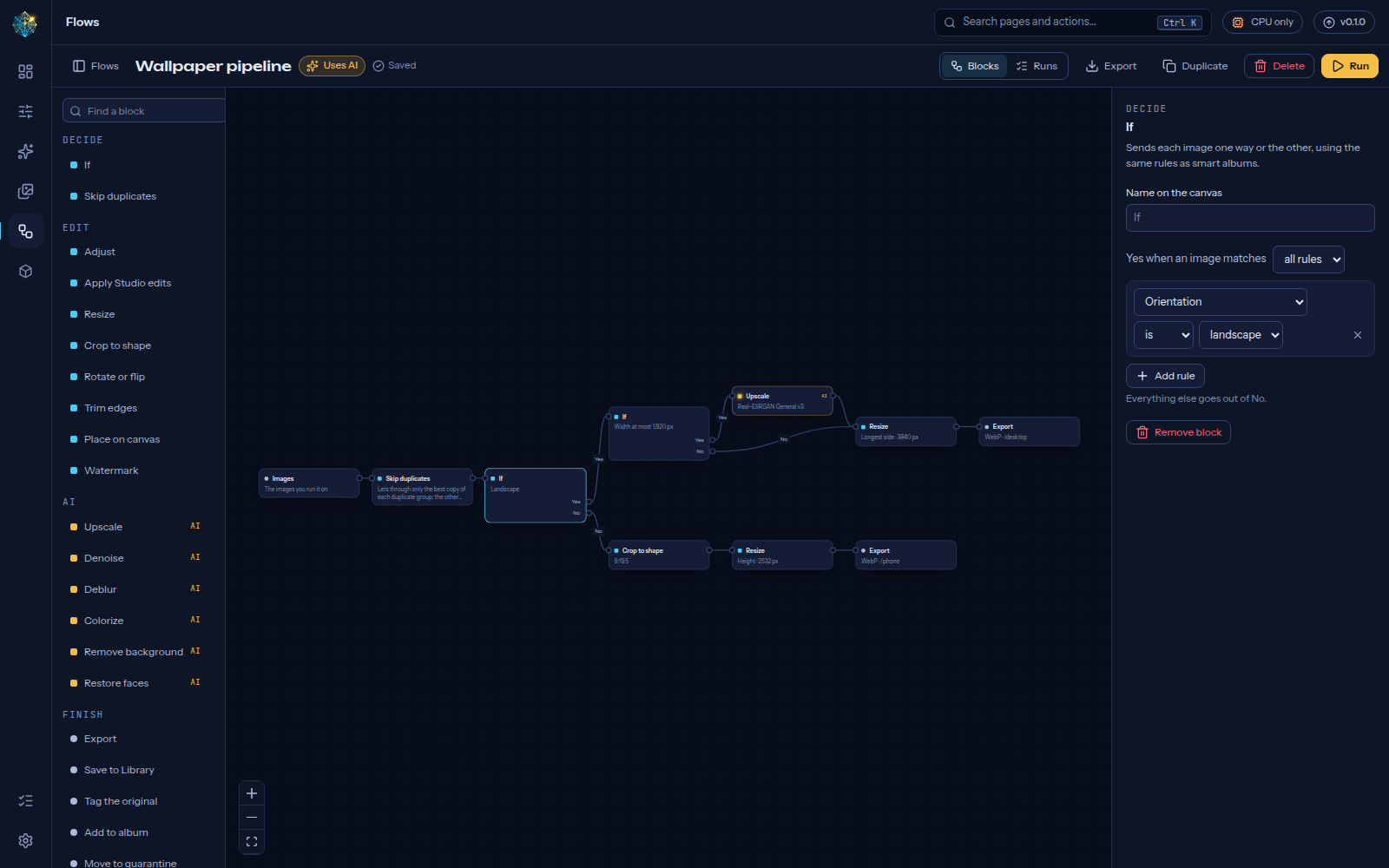
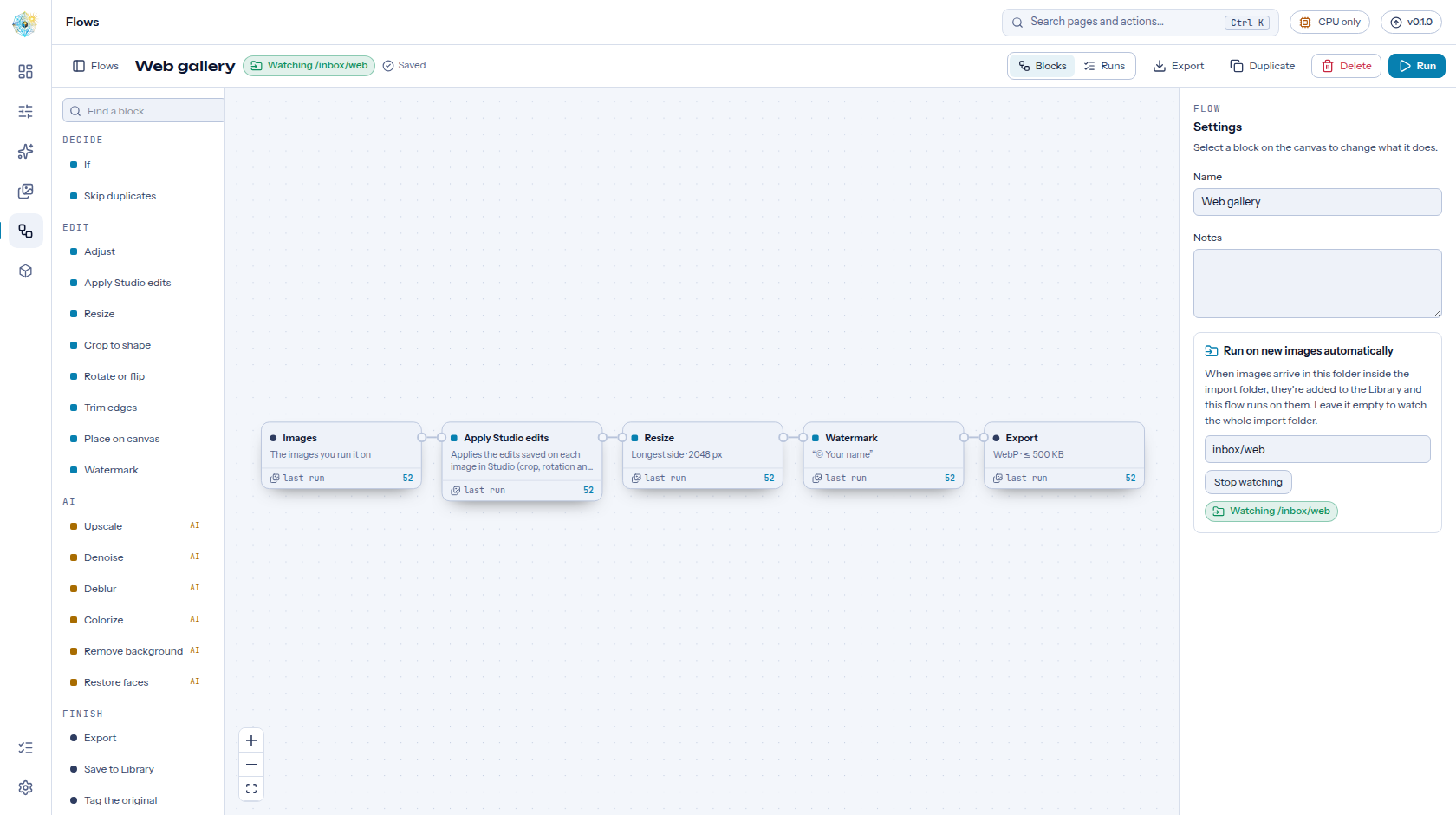
| Flows | Visual pipelines for batches and watched folders: edits, AI models and exports, branching with If, dry runs, recipes, and the same flows from the REST API and the siqe command. Ready now. |
4 |
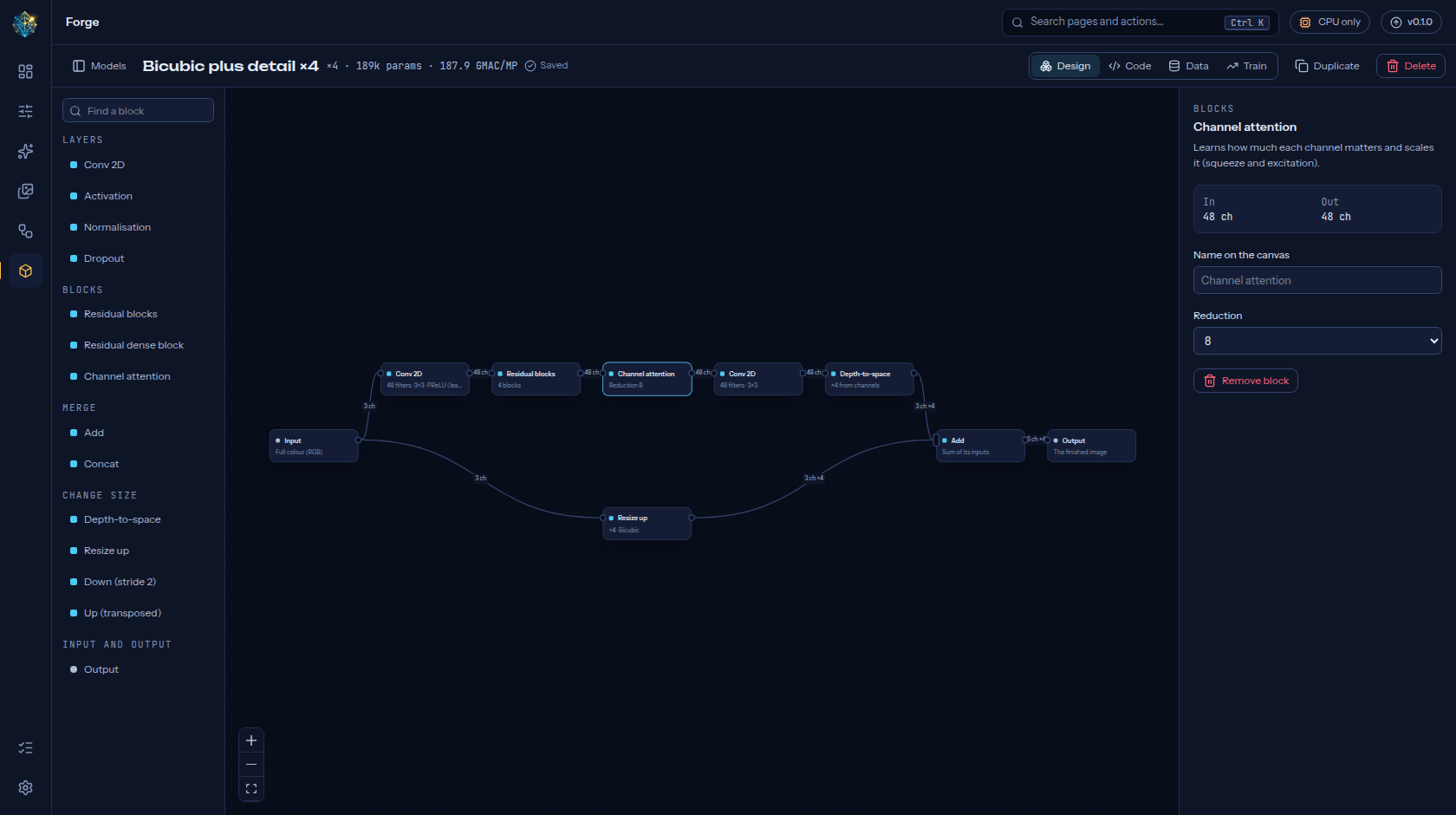
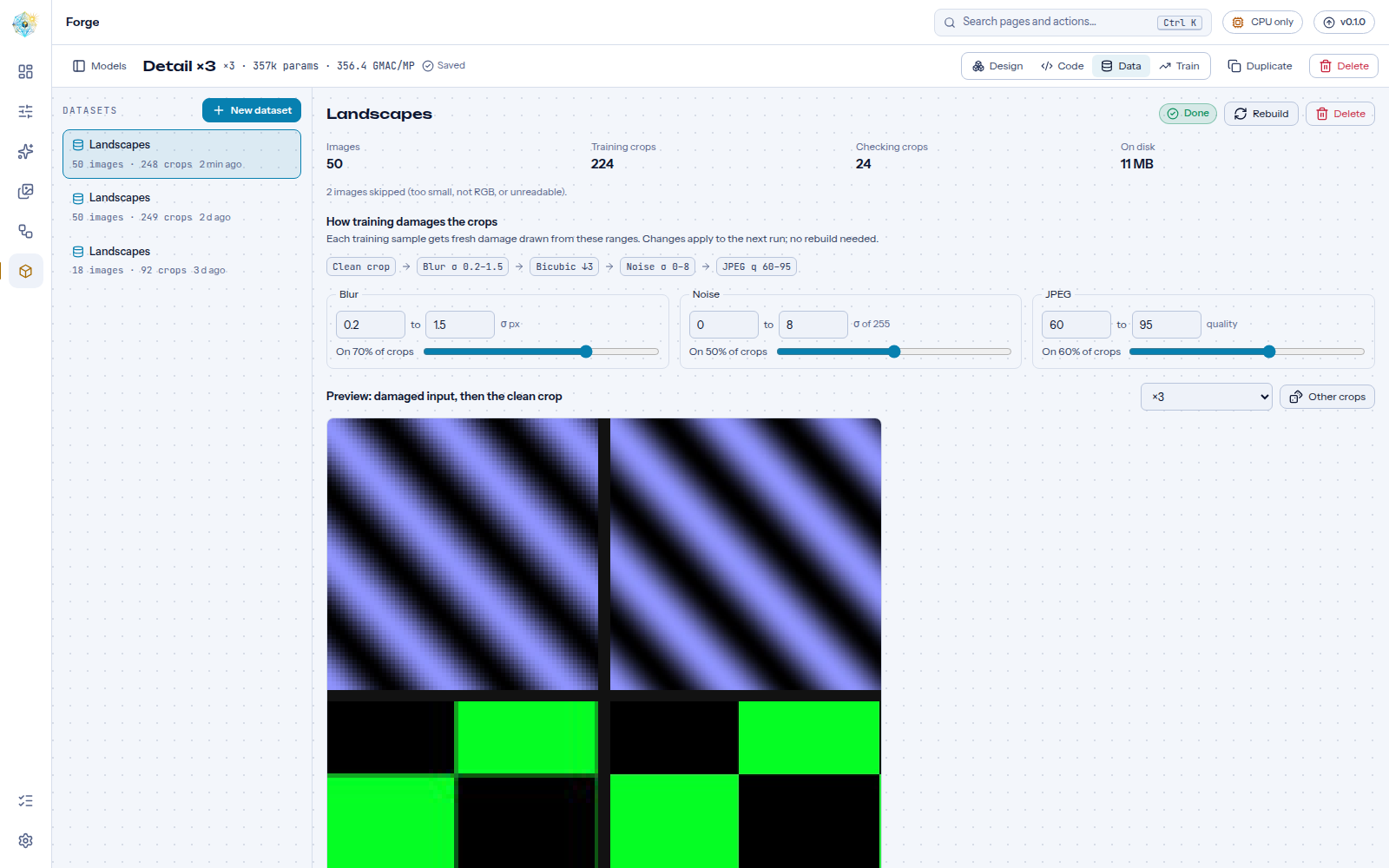
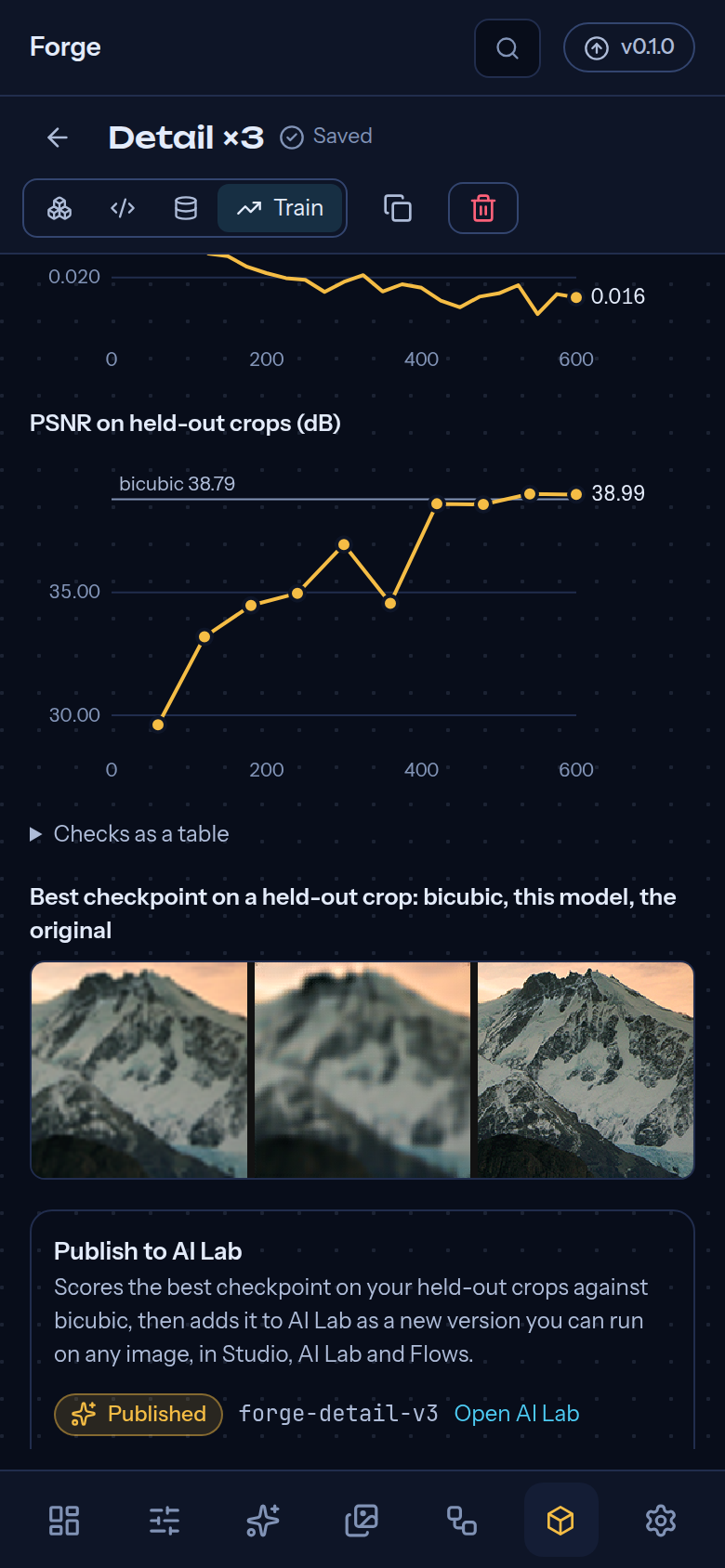
| Forge | Design a super-resolution or denoising network by drawing it, with live shape checks and one-click fixes; read the PyTorch it makes; build datasets from your Library; train with live charts, pause and resume; publish to AI Lab or export a checked ONNX file. Ready now. | 5 |
Built for real hardware limits: images are planned before processing, large ones are tiled and streamed, and running out of GPU memory steps down gracefully instead of crashing. See docs/robustness.md.
 |
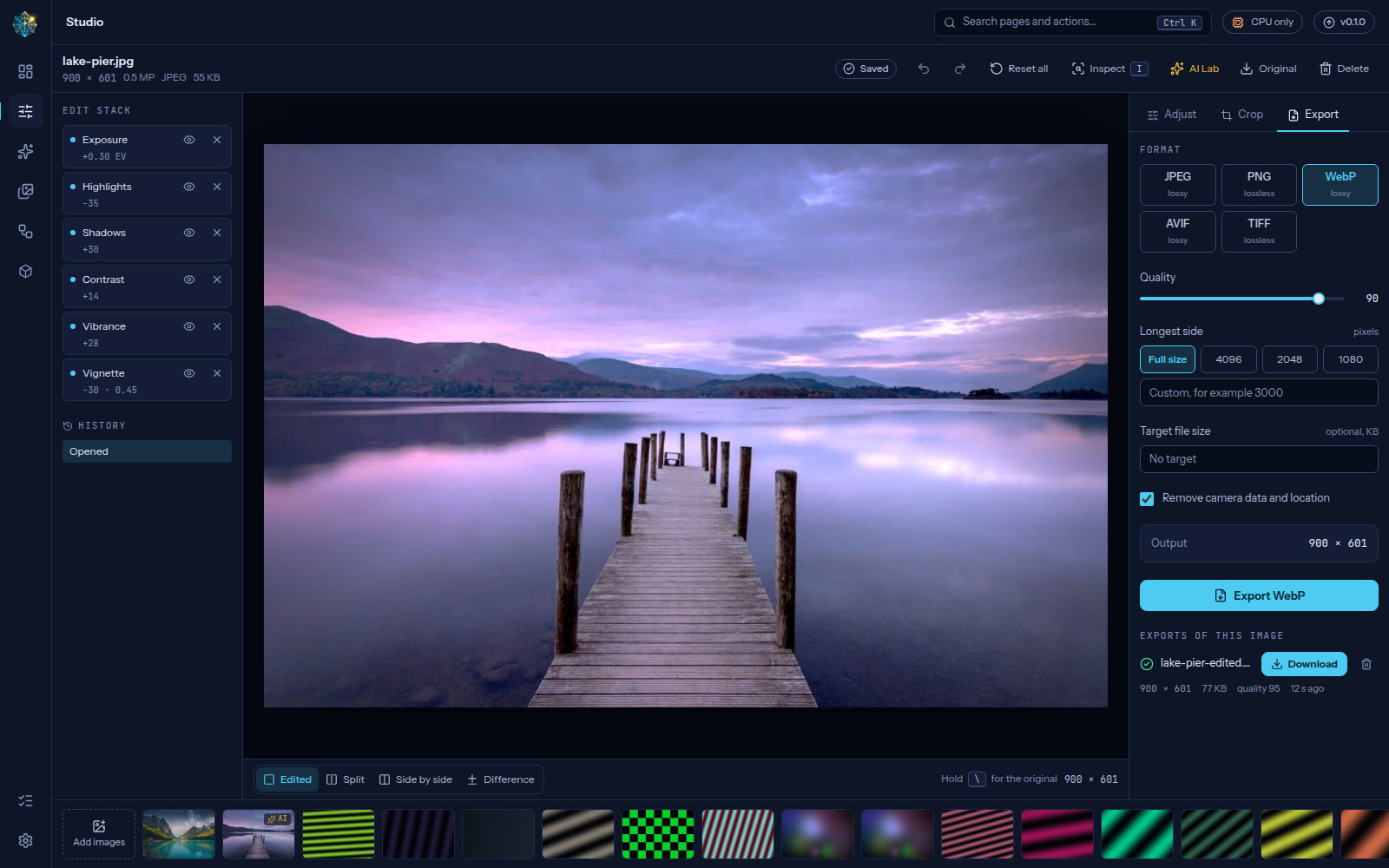 |
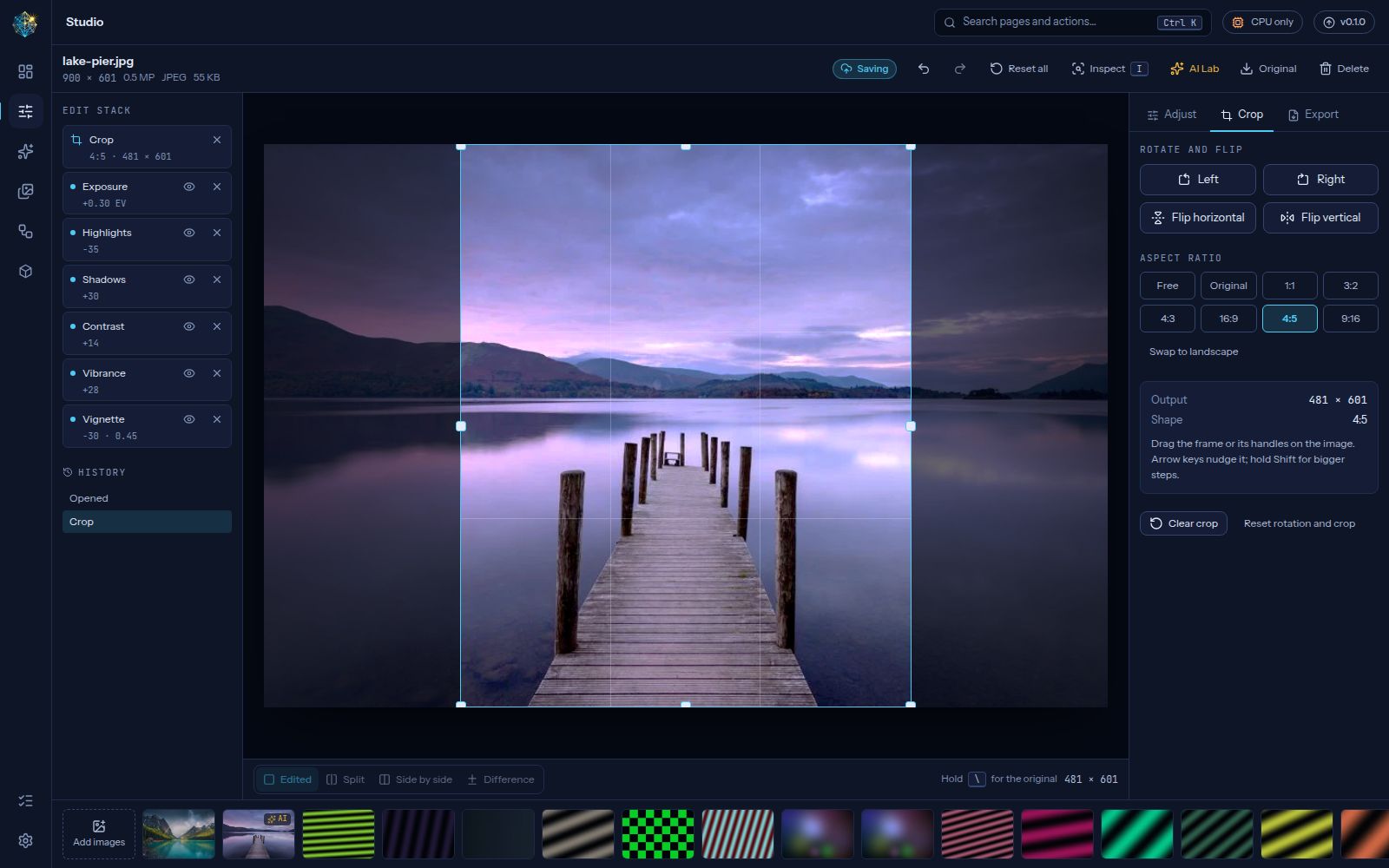
| Crop, rotate and flip | Export with format checks and a target size |
 |
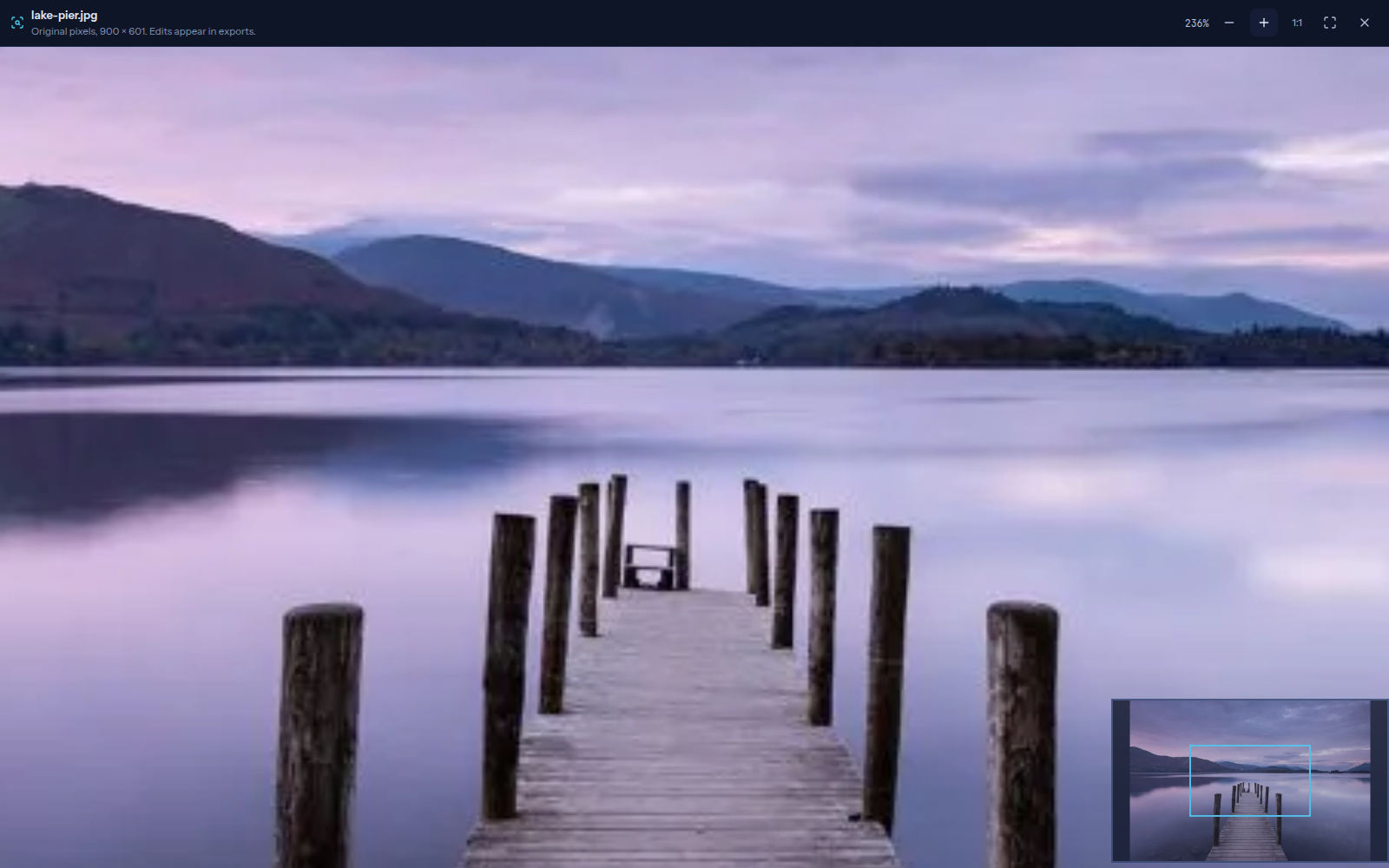 |
| Side by side, light theme | Full-resolution inspector |
 |
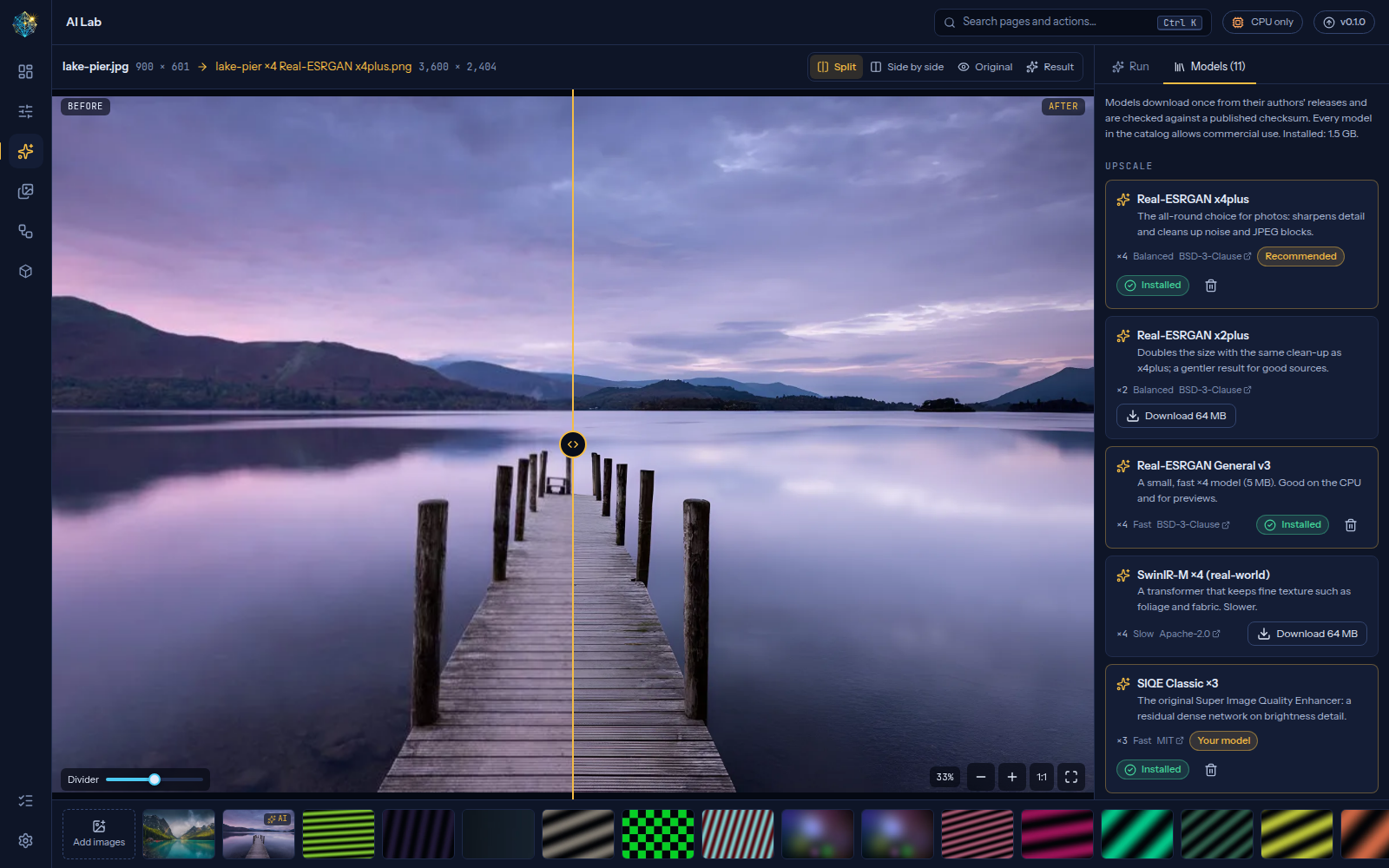 |
| AI Lab: ×4 result compared at full resolution | Model library: commercial-safe models, verified downloads |
 |
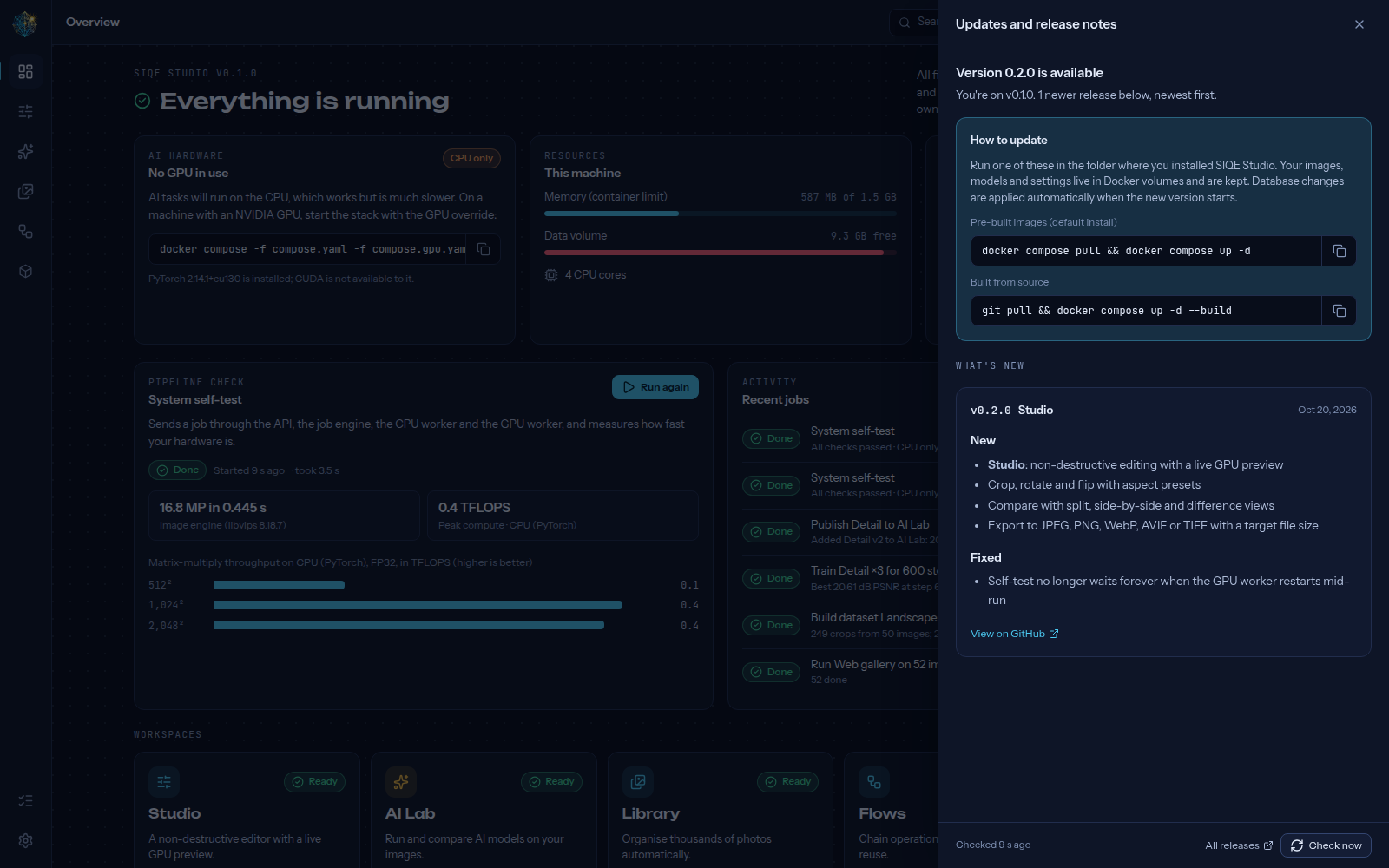 |
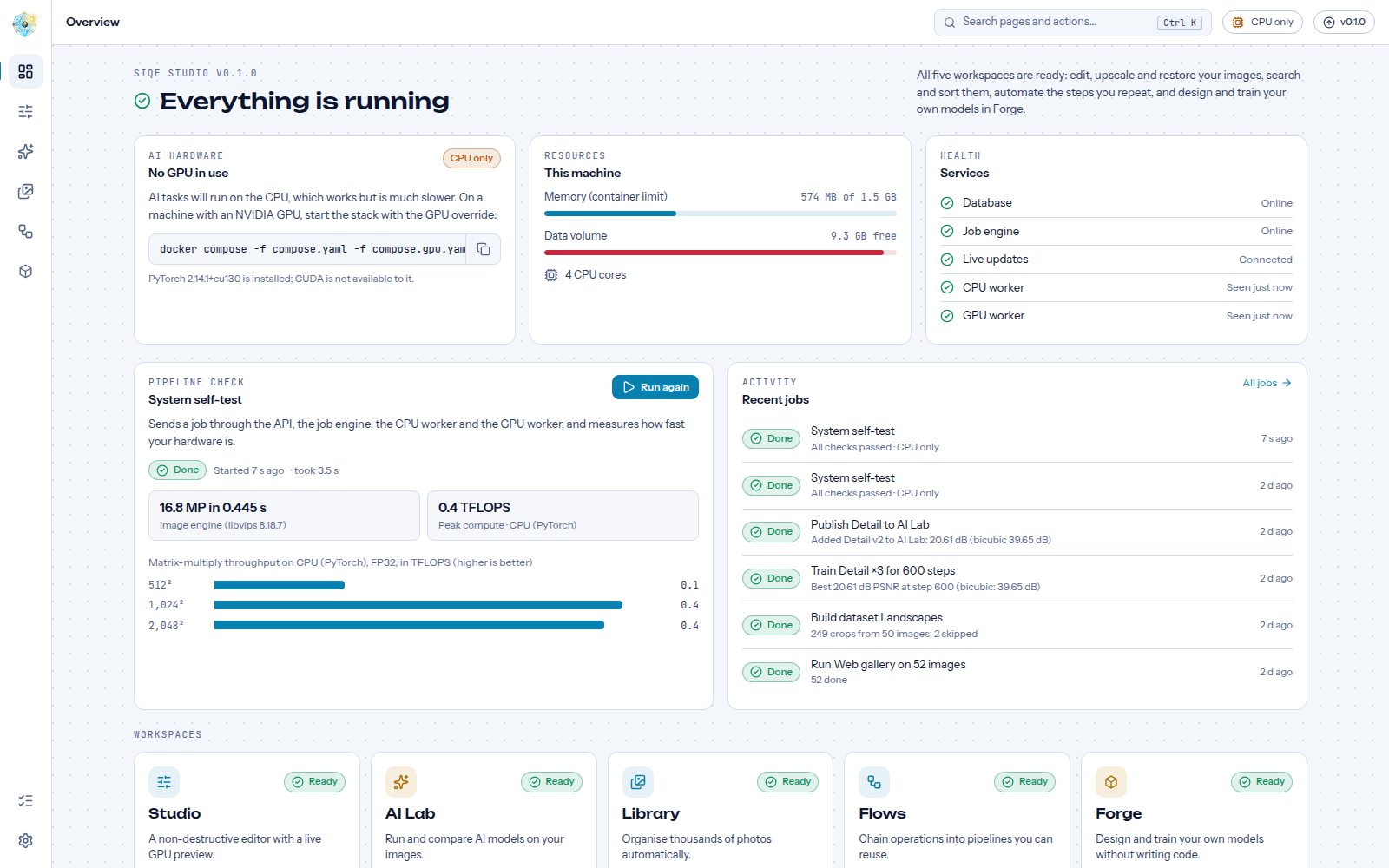
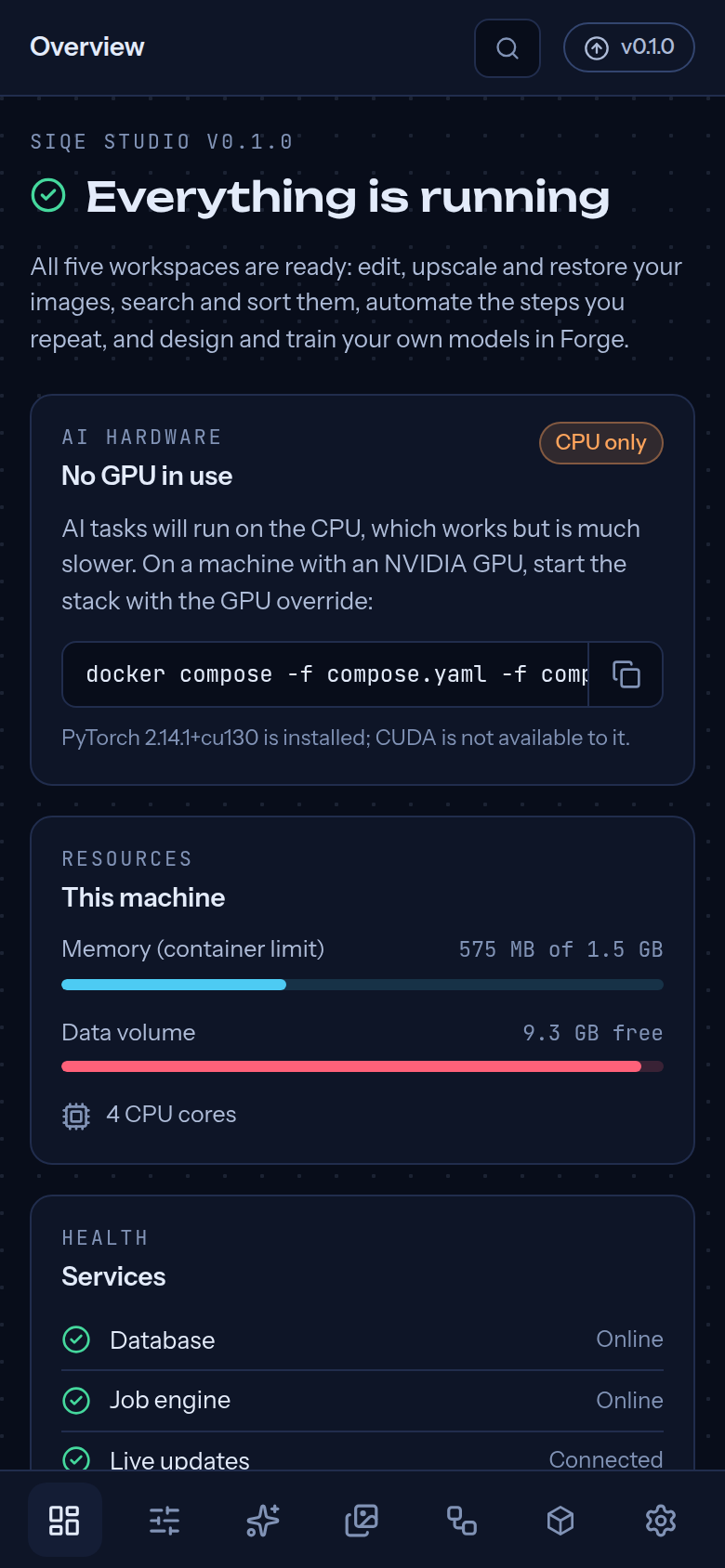
| Overview, light theme | Update Center (example release notes) |
 |
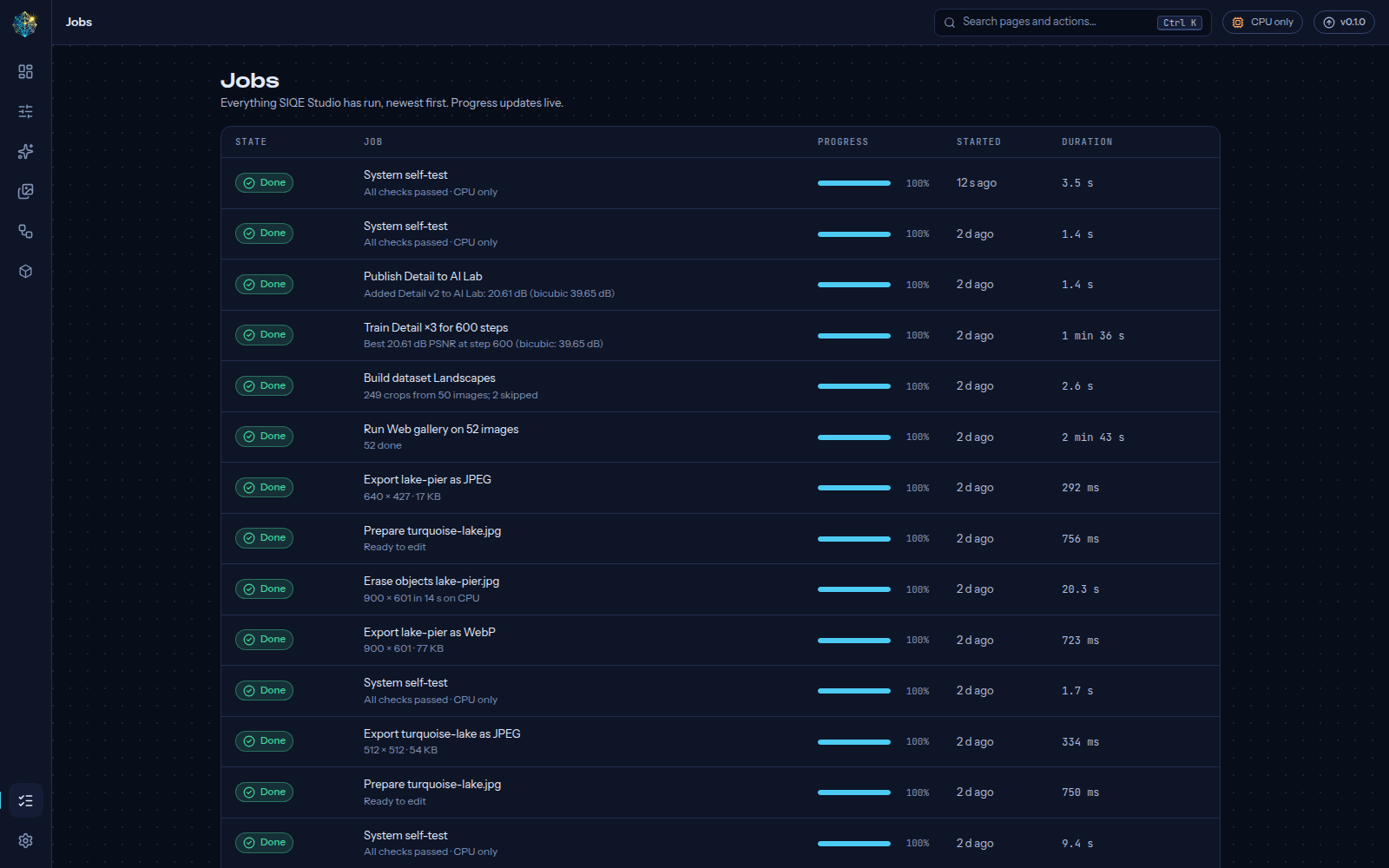 |
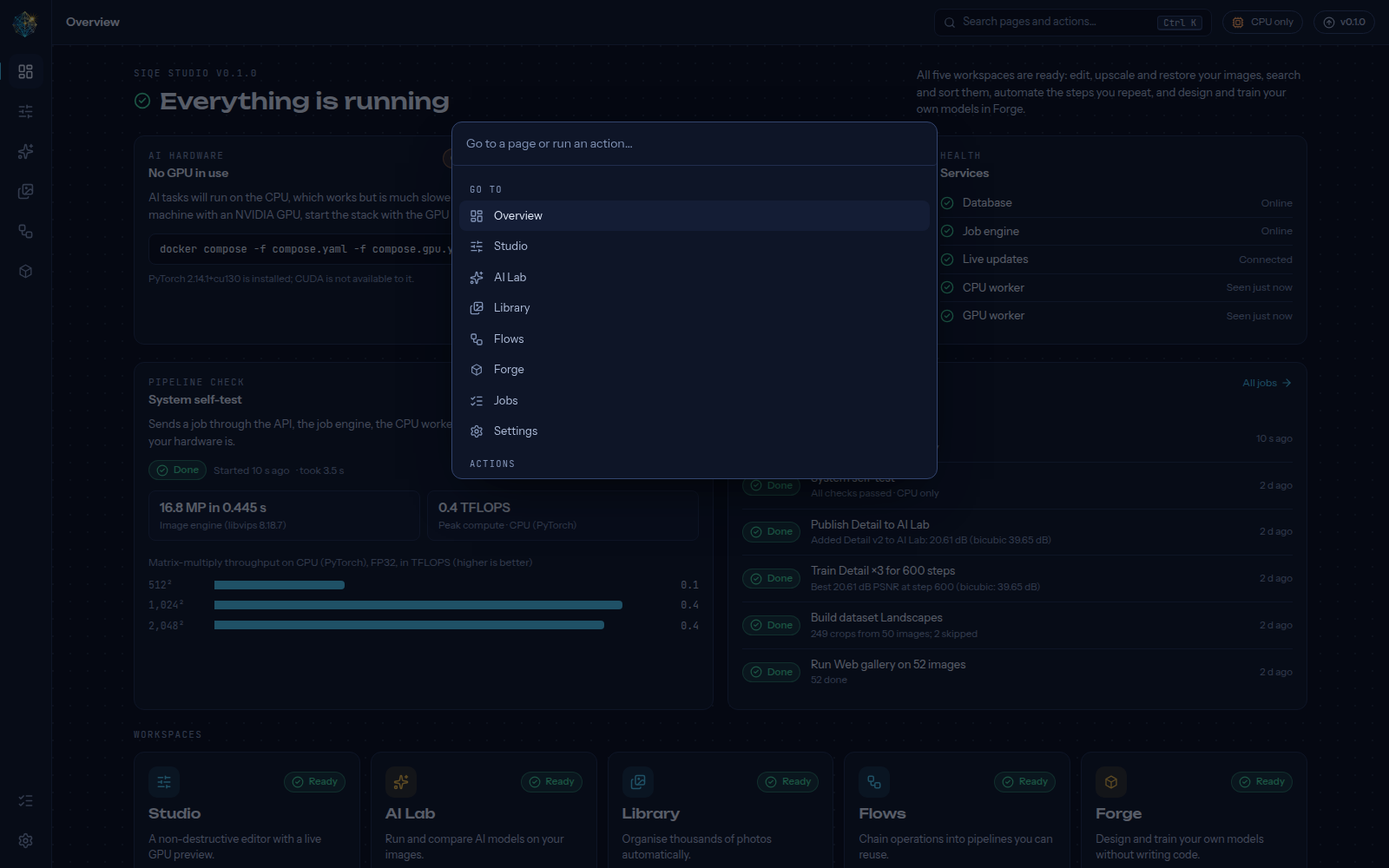
| Command palette (Ctrl K) | Jobs with live progress |
 |
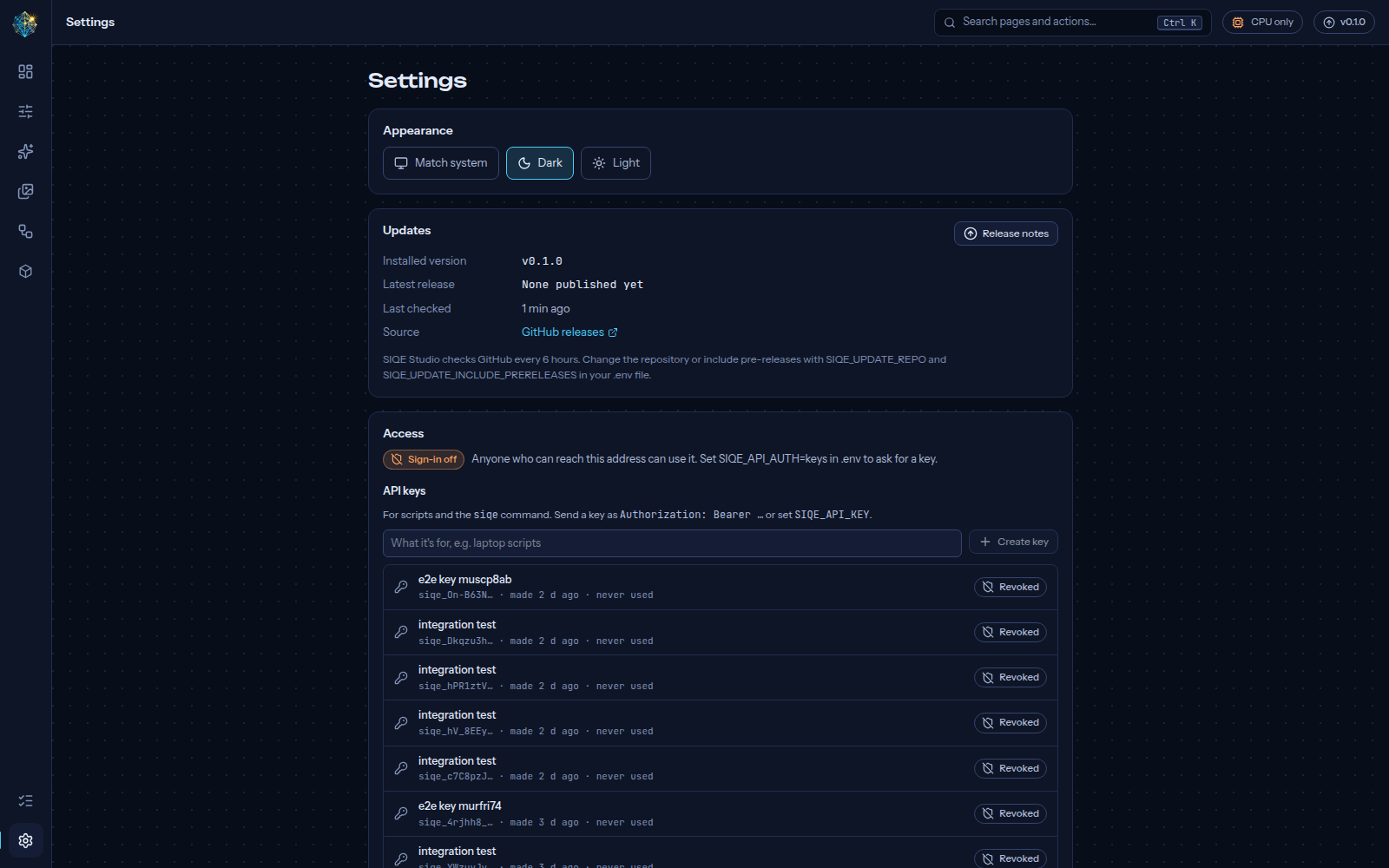 |
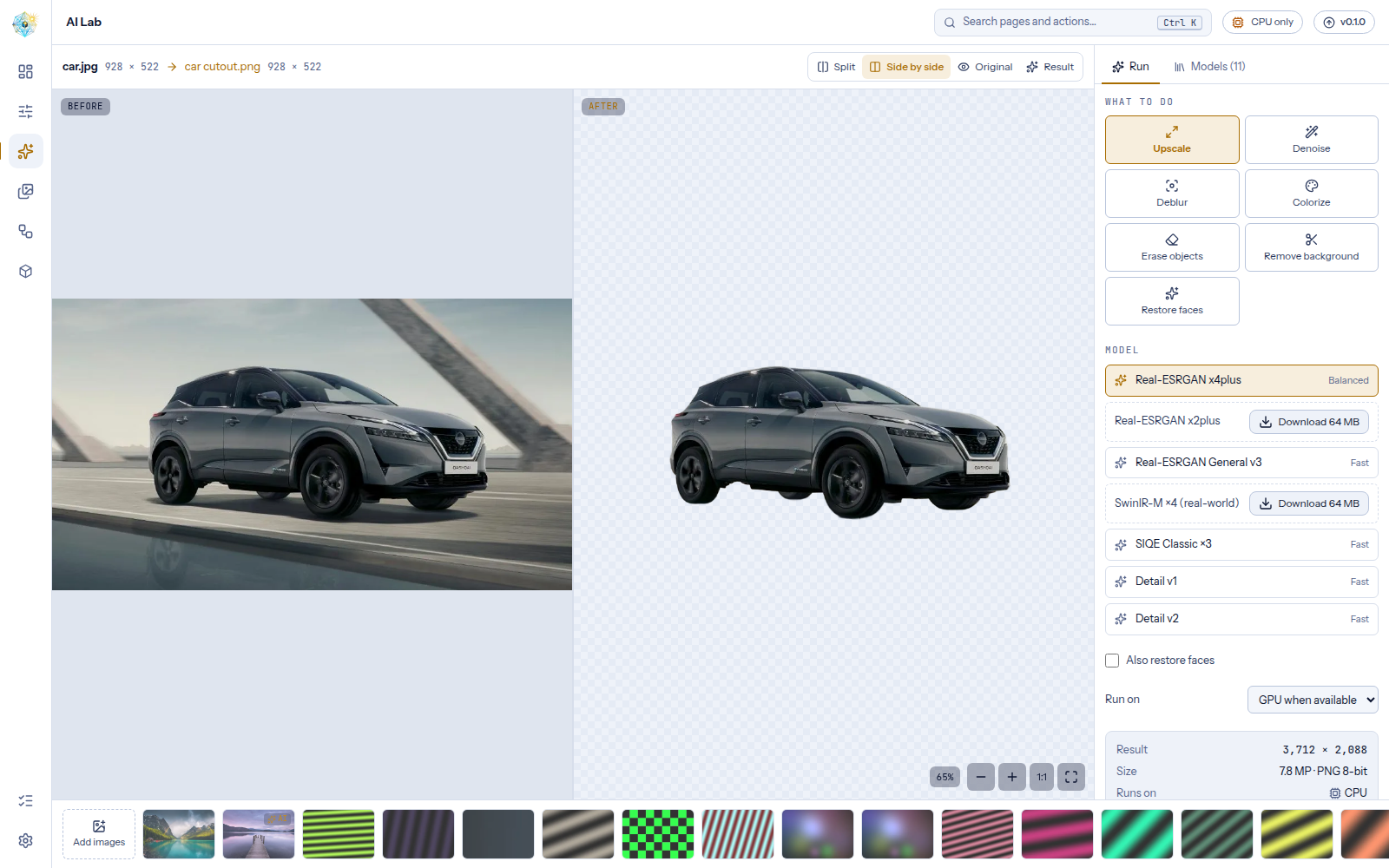
| Background removal, side by side | Settings |
 |
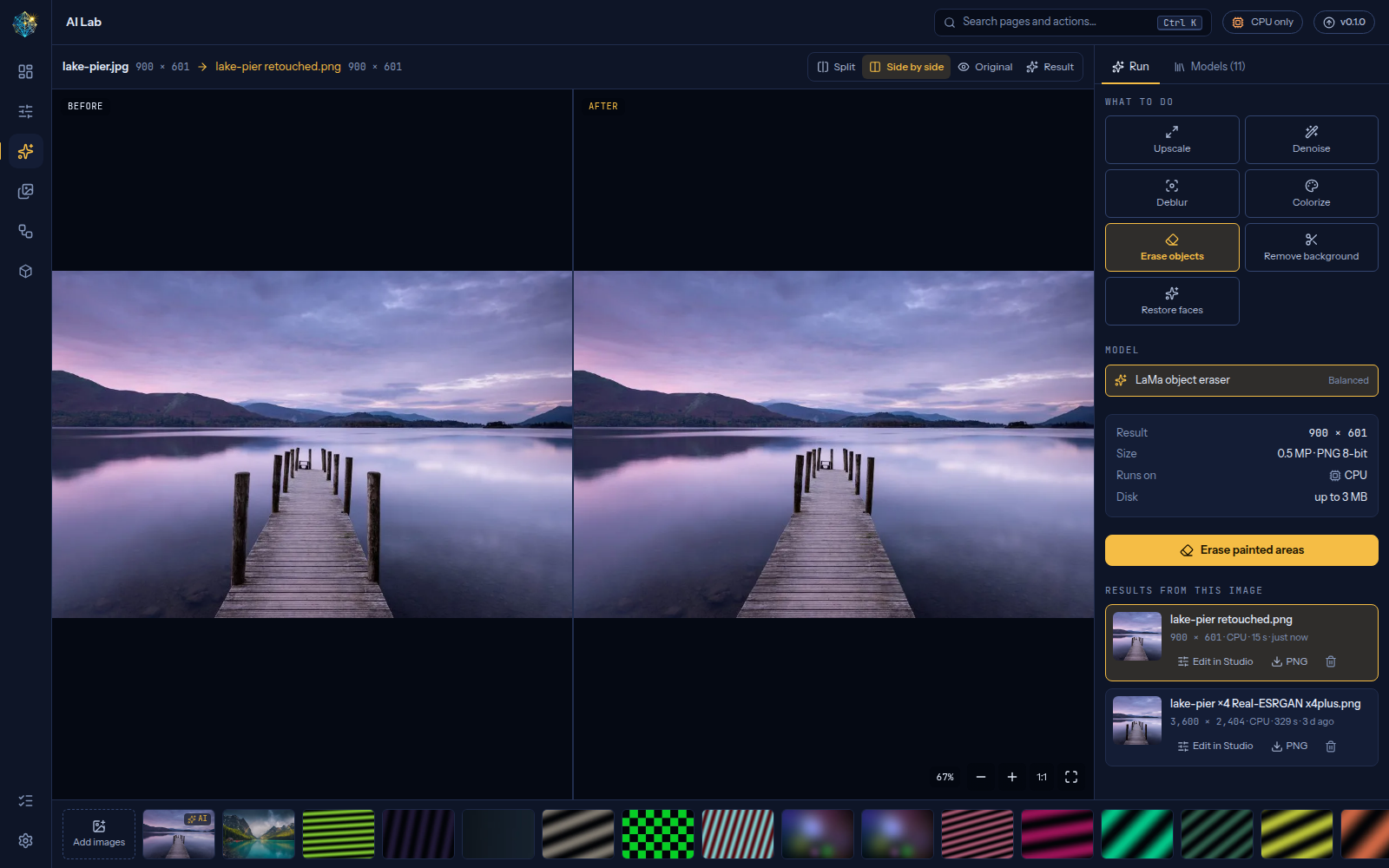 |
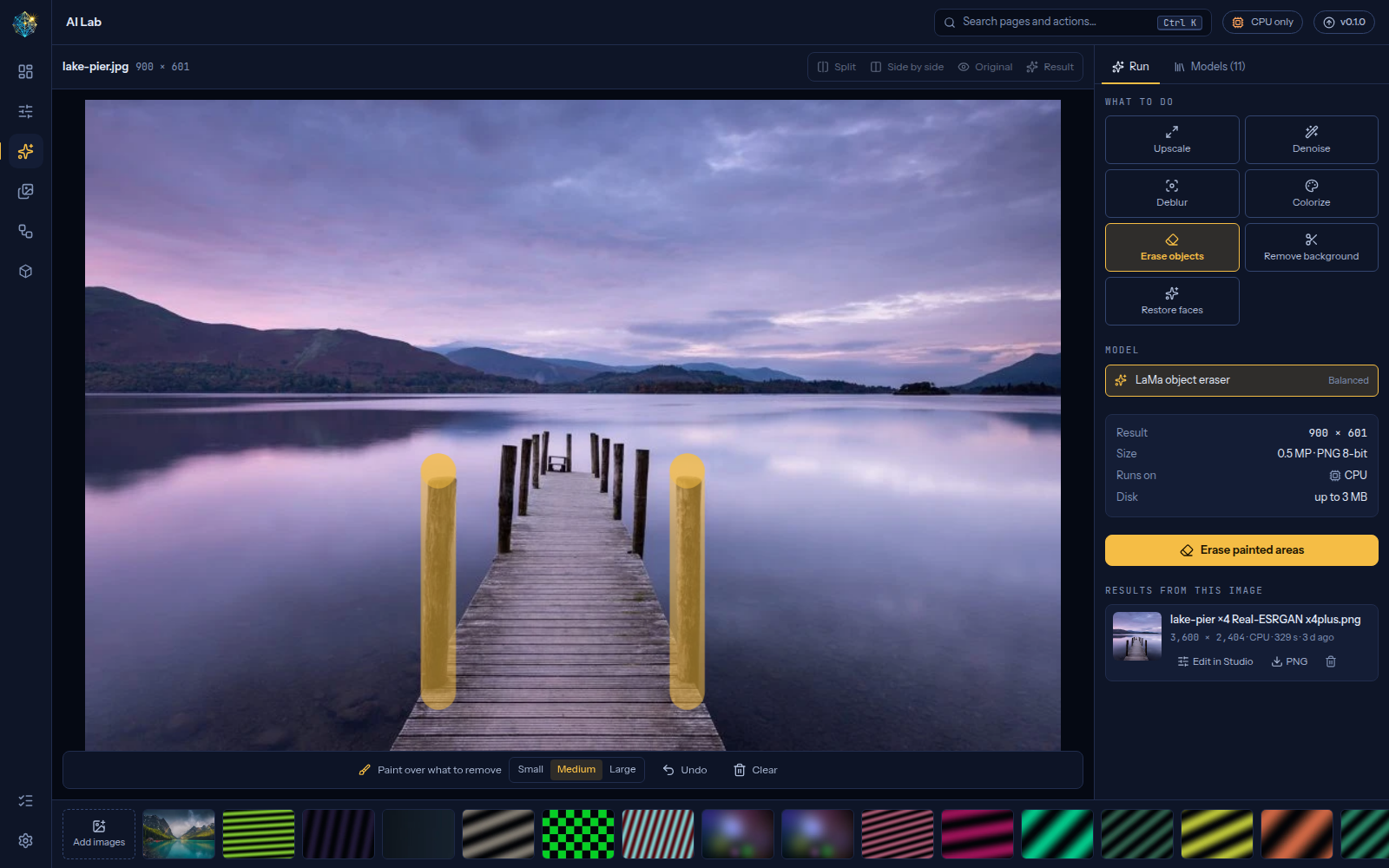
| Erase objects: paint over what to remove | The posts are gone; nothing else changed |
 |
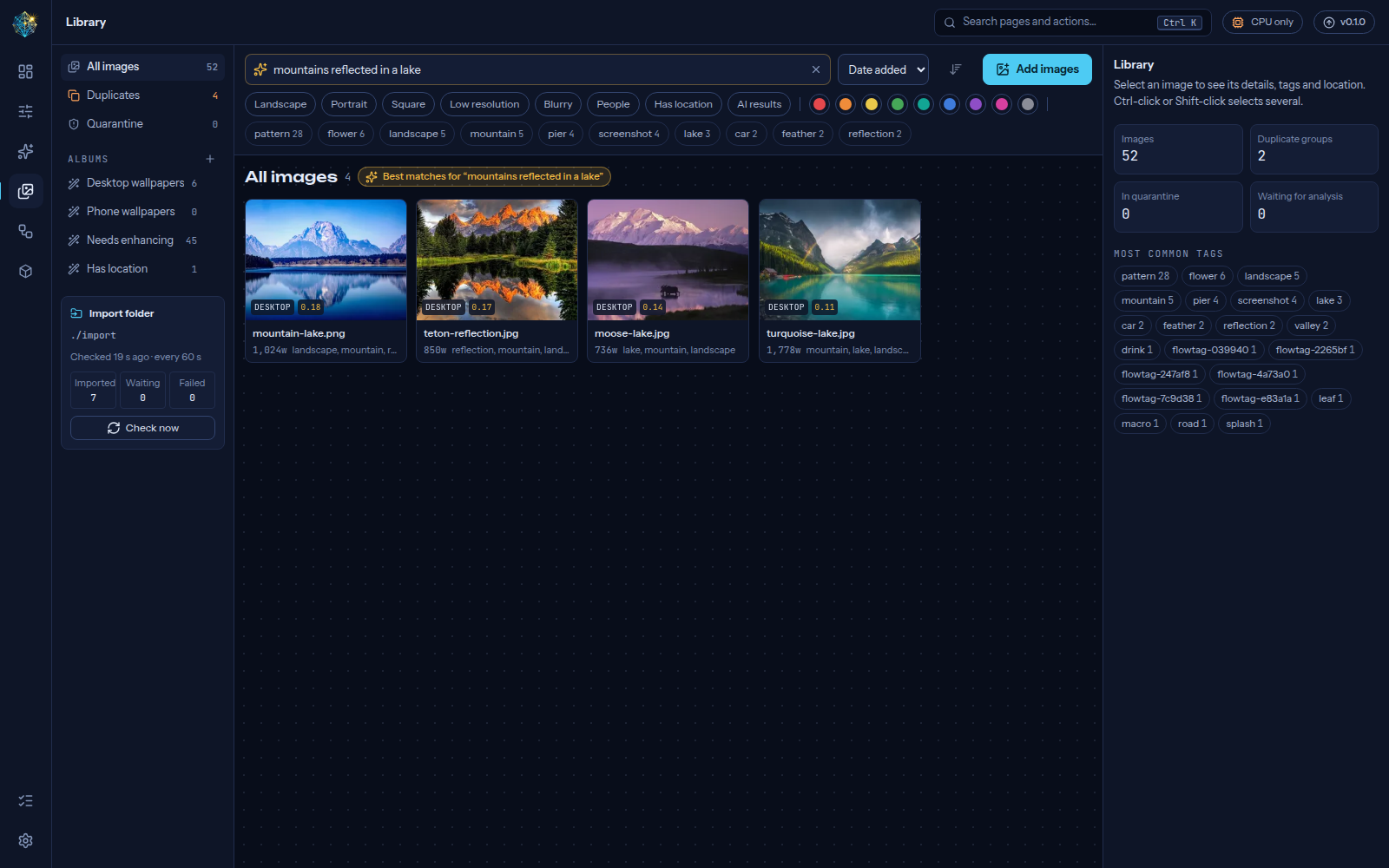 |
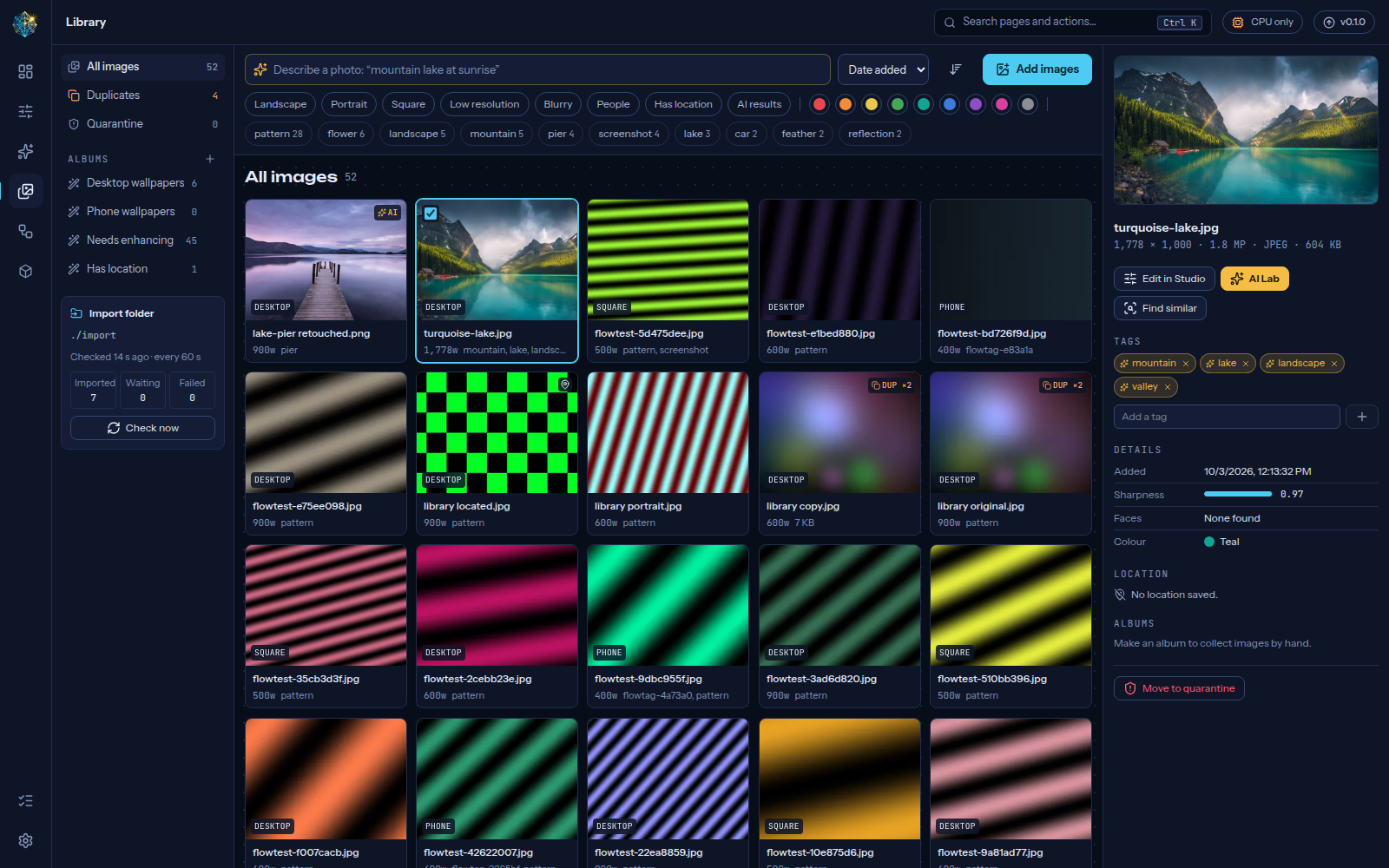
| Library: tags, details and albums | Search by description |
 |
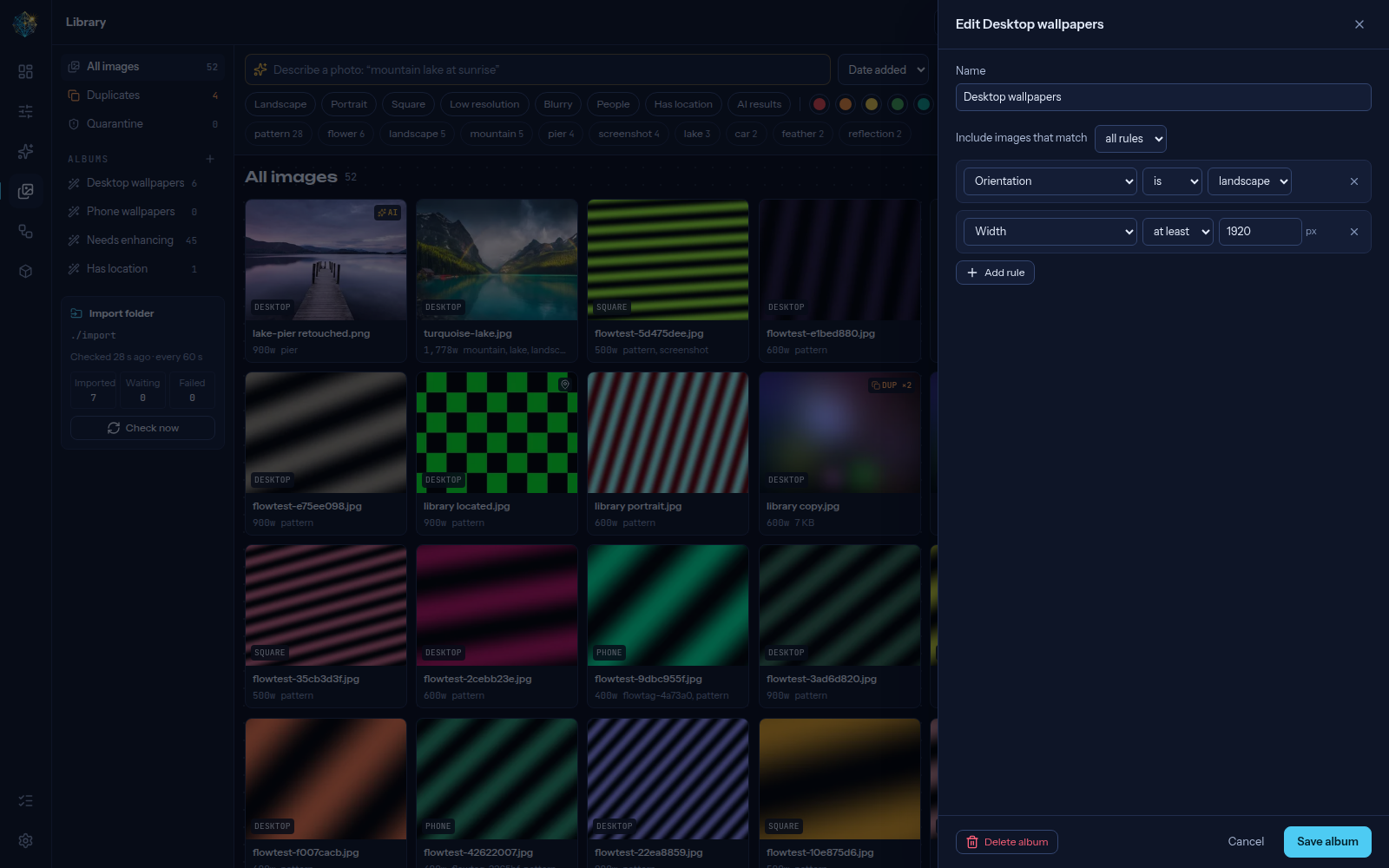 |
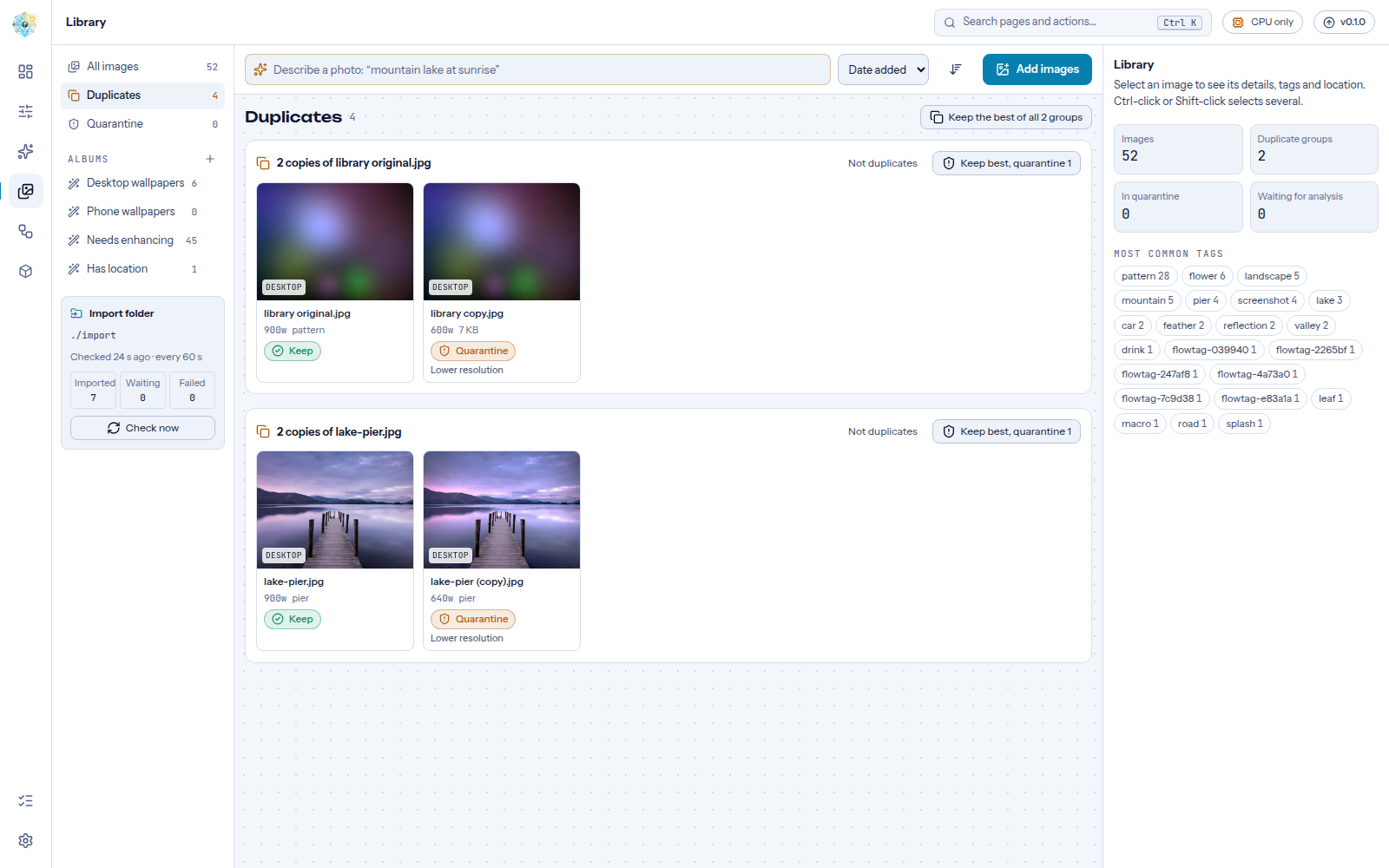
| Duplicates: keep the best copy, light theme | Smart albums from rules |
 |
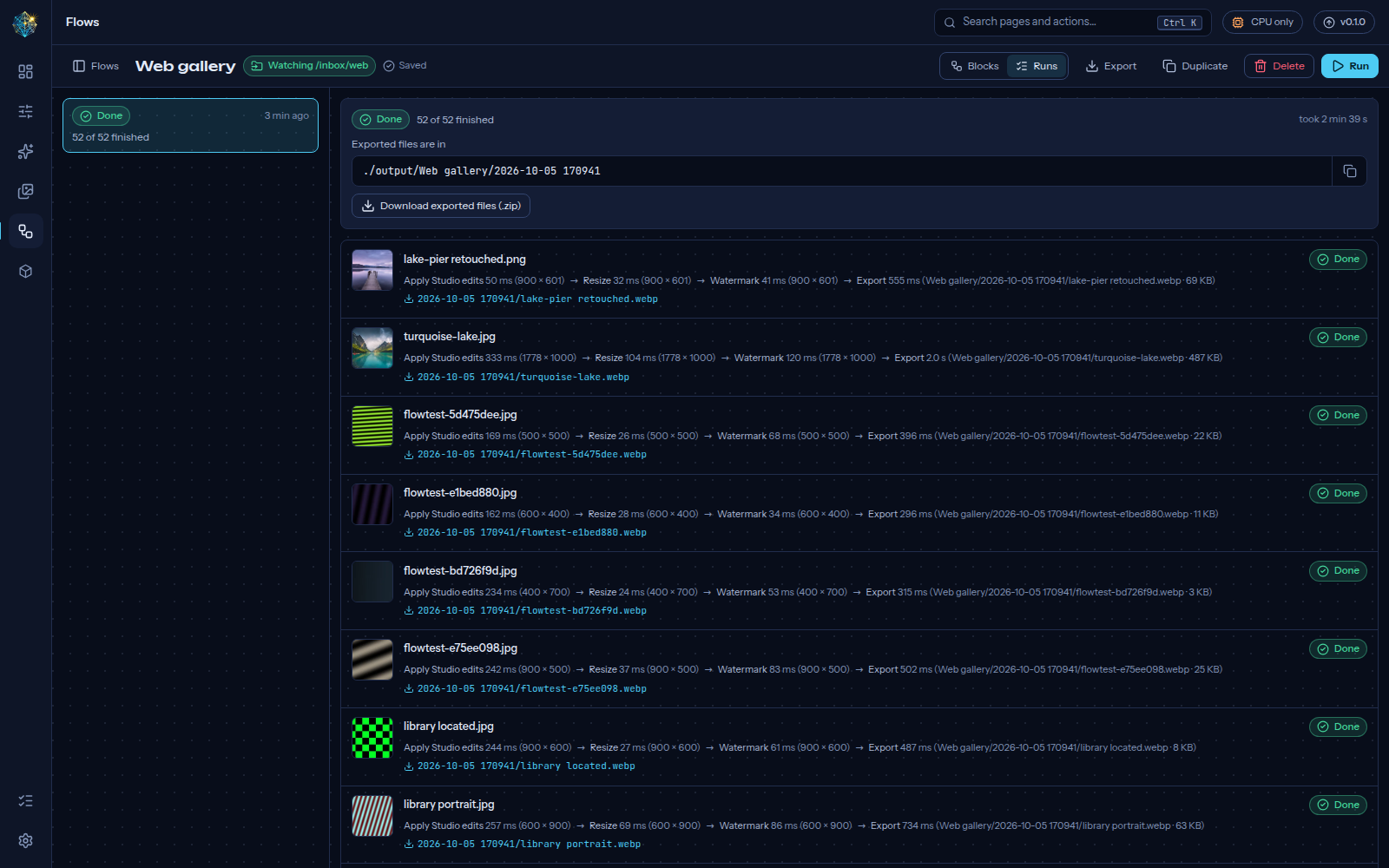 |
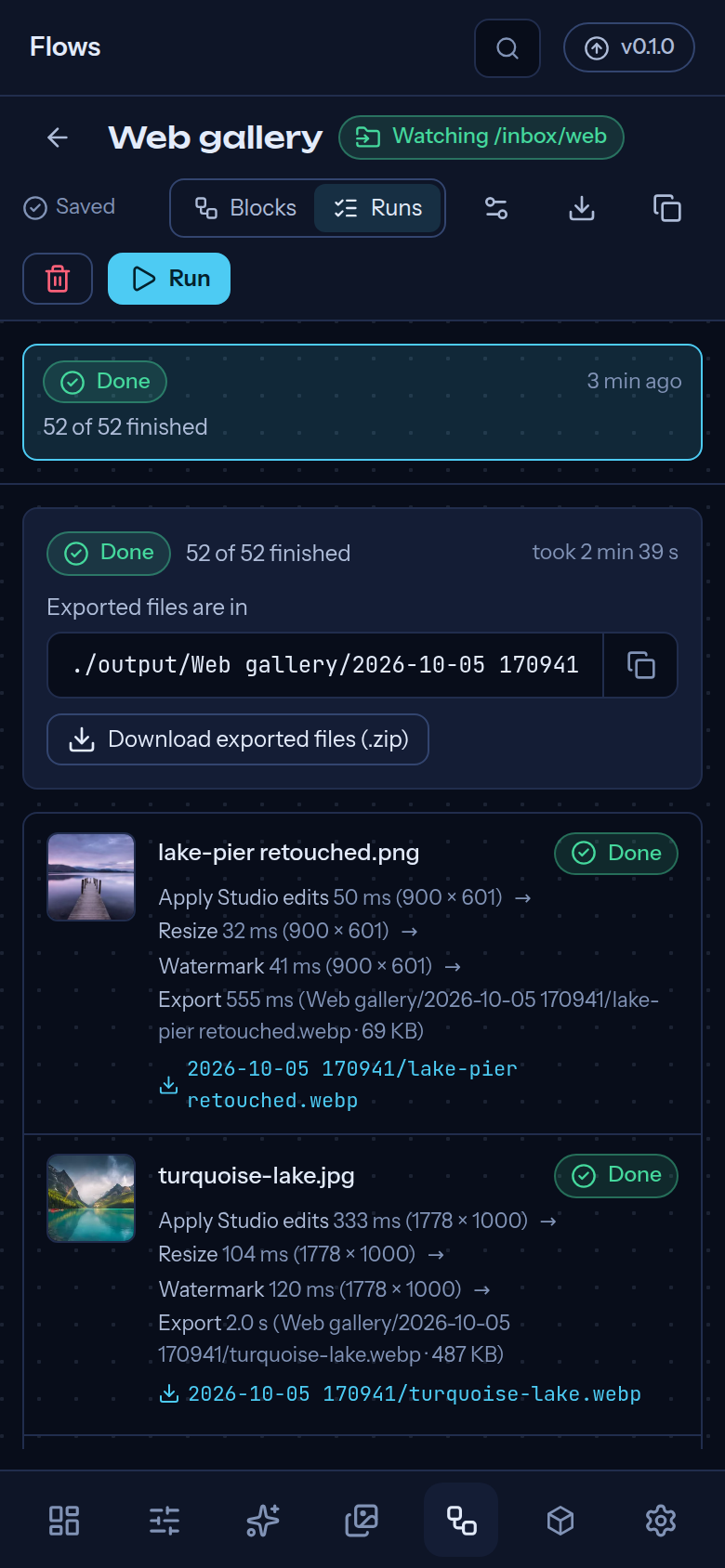
| Flows: chain blocks, branch with If | Runs: what happened to every image |
 |
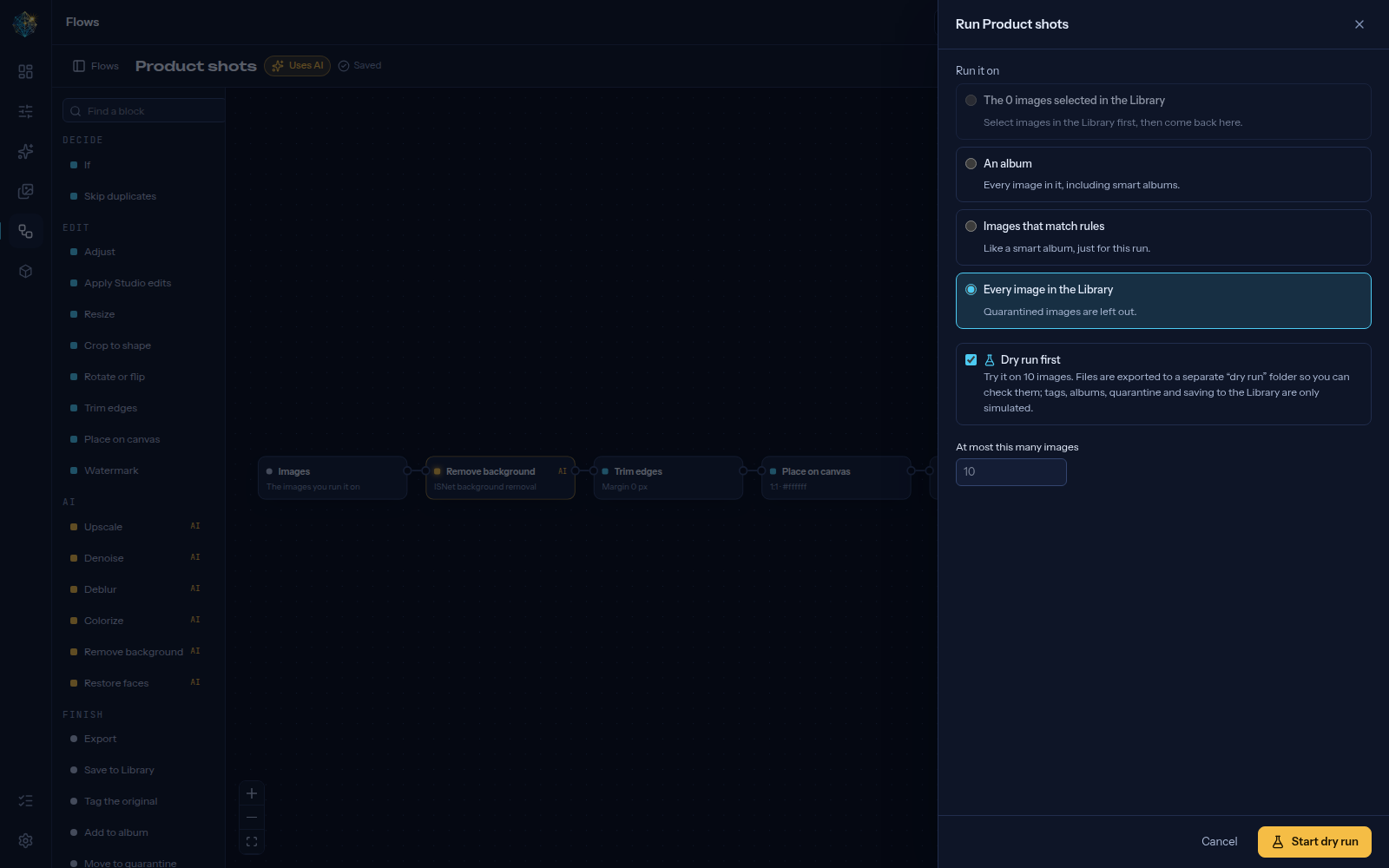 |
| Watch a folder; each block shows its last run | Run on a selection, an album or everything, dry run first |
 |
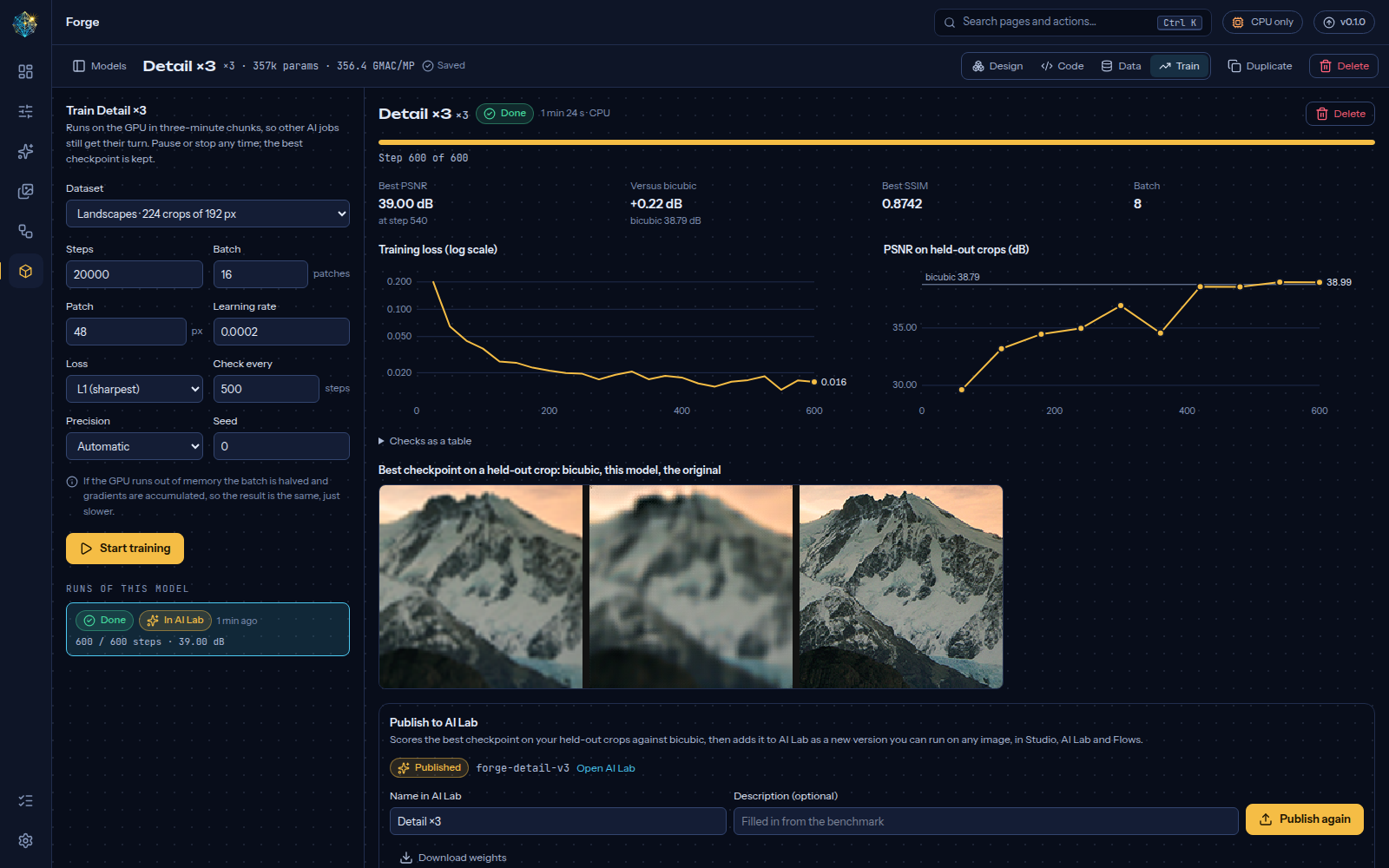 |
| Forge: draw a model, shapes checked as you go | Train with live charts, then publish to AI Lab |
 |
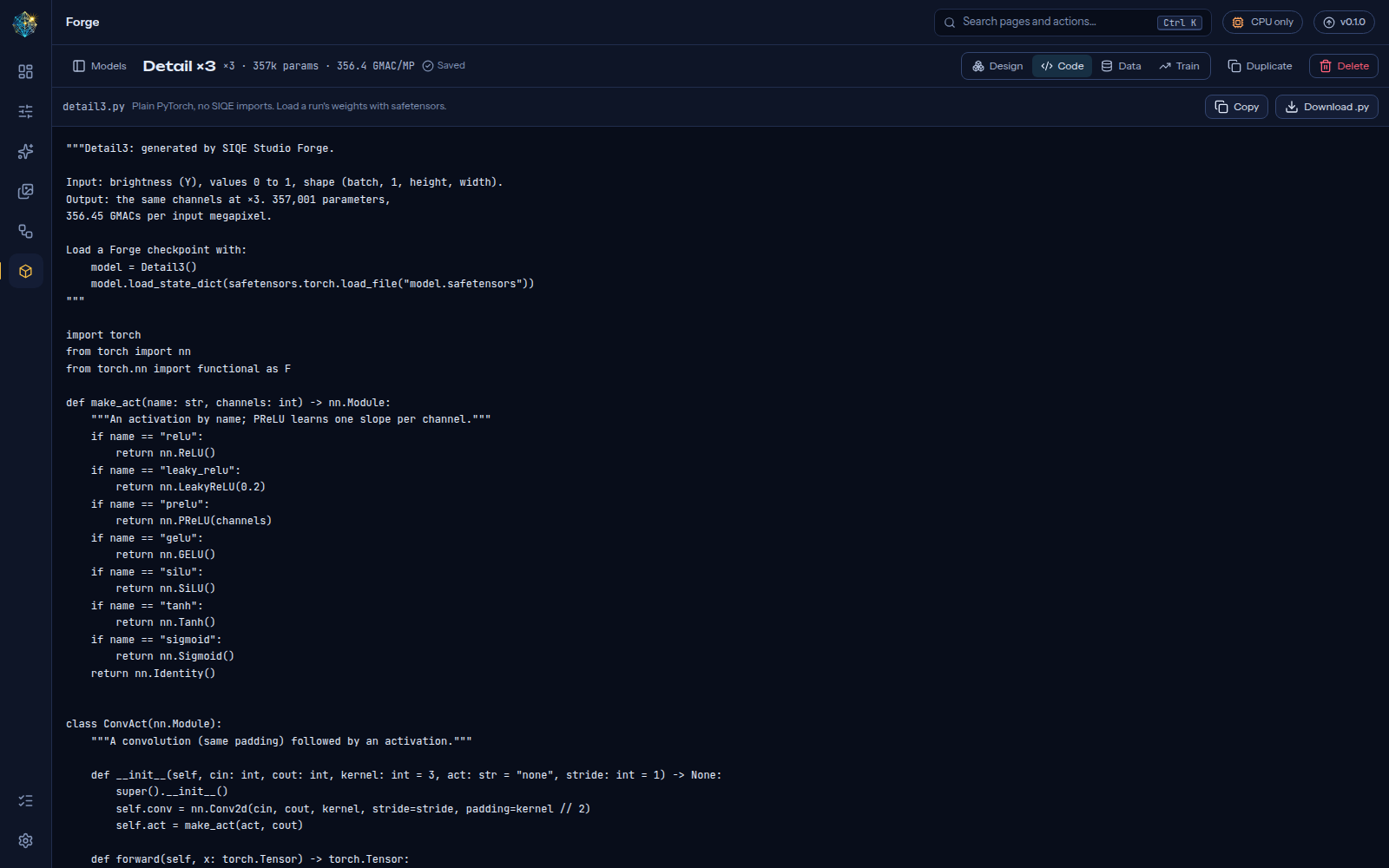 |
| Datasets: tune the damage, see it before training | The PyTorch it makes, ready to copy |
All screenshots are regenerated with make gallery.
You need: Docker with Compose v2 (Docker Desktop on Windows or macOS, Docker Engine on Linux), about 12 GB of free disk for the images, and optionally an NVIDIA GPU.
git clone https://github.com/AmerZuher/Super-Image-Quality-Enhancer.git
cd Super-Image-Quality-Enhancer
make up          # CPU
make up-gpu      # or: with your NVIDIA GPU
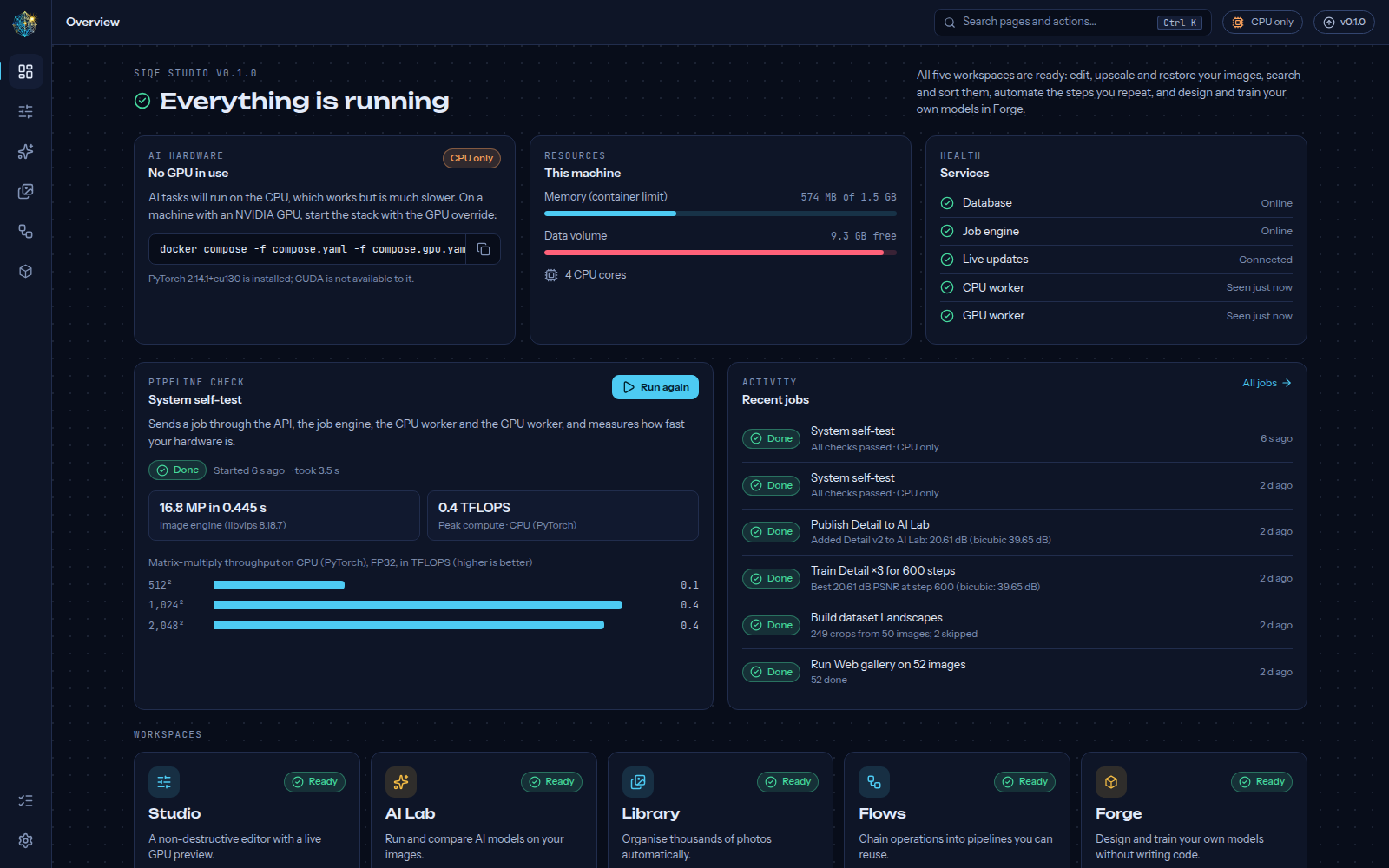
Open http://localhost:8080 and press Run self-test on the Overview. In about a second it confirms every service works and benchmarks your hardware.
Then open Studio (second icon in the left rail) and drop a photo onto the page. For AI, open AI Lab (third icon), download a model from the Models tab (Real-ESRGAN General v3 is 5 MB and fast even without a GPU), and press Upscale ×4. Keyboard shortcuts there: Ctrl Z / Ctrl Shift Z undo and redo, hold \ to see the original, [ and ] move between images, I inspects at full resolution.
To organise photos, open Library (fourth icon). Drop images onto it, or copy them into the import folder next to compose.yaml; they appear within a minute. Click Download on the gold banner to turn on search by description, similar images and automatic tags (CLIP, 578 MB, runs on the CPU). Duplicates and filters work without it.
Without make (for example on Windows)
cp .env.example .env            # then set POSTGRES_PASSWORD to something random
docker compose up -d --build
# with an NVIDIA GPU:
docker compose -f compose.yaml -f compose.gpu.yaml up -d --build
The first build downloads PyTorch with CUDA (the GPU worker image is about 9 GB). Once releases are published you can skip building with make pull.
Stop with make down. Your data stays in Docker volumes (pgdata, data) until you remove them.
When a new version is released, the version button in the top bar changes to "vX.Y.Z available". Click it to read the release notes and copy the update command:
docker compose pull && docker compose up -d      # pre-built images
git pull && docker compose up -d --build         # from source
Database changes are applied automatically when the new version starts. To stay on a version, set SIQE_VERSION=0.1.0 in .env.
| Setup | What to expect |
|---|---|
| CPU only | Everything works. AI runs are slower: a ×4 upscale of a 1 MP photo takes about 25 s with Real-ESRGAN General v3. The Library analyses about 10 photos a second on four cores, so 10,000 photos take under 20 minutes, once. Forge trains SIQE Classic at about 8 steps a second (batch 8, 32 px patches): enough to try a design, not to finish one. |
| NVIDIA, 8 GB VRAM | Full feature set. Tile size is measured per model; if memory still runs out, runs step down automatically instead of failing. |
| NVIDIA, 24 GB VRAM (for example RTX 3090) | The reference setup. Bigger tiles and batches, and room for training in Forge at batch 16 and up, in bfloat16. |
| Apple Silicon | Runs on CPU; Docker can't pass the Apple GPU through. |
GPU support needs the NVIDIA driver and the NVIDIA Container Toolkit. The Overview shows exactly what the GPU worker sees.
All settings live in .env (created by make env from .env.example, where each one is documented). The most useful:
| Variable | Default | Purpose |
|---|---|---|
SIQE_BIND / SIQE_PORT |
127.0.0.1 / 8080 |
Where the web app listens. Use 0.0.0.0 to open it to your network, ideally with SIQE_API_AUTH=keys. |
SIQE_API_AUTH |
off |
keys asks every browser and script for an API key (see Automation) |
SIQE_VERSION |
latest |
Image tag to run; pin a version to stay on it |
SIQE_MAX_INPUT_MEGAPIXELS |
250 |
Largest image accepted |
SIQE_MAX_UPLOAD_MB |
2048 |
Largest single upload |
SIQE_MAX_OUTPUT_MEGAPIXELS |
1000 |
Largest AI result (8K ×4 is 531 MP) |
SIQE_GPU_VRAM_RESERVE_MB |
1536 |
VRAM always left free |
SIQE_GPU_WORKER_MEMORY |
12g |
System RAM cap for the GPU worker |
SIQE_IMPORT_PATH |
./import |
The Library's import folder on your computer (mounted read-only) |
SIQE_IMPORT_SCAN_SECONDS |
60 |
How often the import folder is checked; 0 turns automatic checks off |
SIQE_OUTPUT_PATH |
./output |
Where flows export files, one folder per run |
SIQE_FLOW_CONCURRENCY |
4 |
How many images a flow run works on at once |
SIQE_UPDATE_REPO |
this repository | Where the Update Center looks for releases |
SIQE_UPDATE_INCLUDE_PRERELEASES |
false |
Also offer pre-releases |
A flow is a chain of blocks: pick images, sort them with If (any rule a smart album can use: orientation, size, tags, faces…), edit or enhance them, then export, tag, file or quarantine them. Start from a recipe (wallpapers, product shots, web gallery, old photo restoration, blurry photo triage) or a blank canvas. Each image runs on its own, so one broken file never stops the batch, and a dry run tries the flow on 10 images without changing your Library. Exports land in ./output/<flow>/<date time>/ and download as a zip.
To run a flow on new images automatically, open its settings and Start watching a folder inside the import folder.
The same flows run from scripts. Everything the app does is in the REST API (/api/docs), and the siqe command wraps the common parts:
uv tool install ./backend             # once, gives you the `siqe` command (or: cd backend && uv run siqe …)
siqe flows list
siqe run "Web gallery" ~/Pictures/trip --download ./web     # uploads, runs, waits, saves the results
siqe run wallpaper.flow.json ~/Pictures/new --dry-run      # a flow file exported from the editor
To ask for a key, set SIQE_API_AUTH=keys in .env, restart, and make the first key where the app runs:
docker compose exec api siqe keys create "my laptop"     # prints the key once
export SIQE_API_KEY=siqe_…                               # for the siqe command
curl -H "Authorization: Bearer $SIQE_API_KEY" http://localhost:8080/api/flows
The web app then shows a sign-in screen; more keys can be made and revoked in Settings → Access. Set SIQE_URL if the app isn't on http://localhost:8080.
flowchart LR
  B[Browser] --> C[web: Caddy + React app]
  C -->|/api, WebSocket| A[api: FastAPI]
  A --> P[(PostgreSQL 18 + pgvector)]
  A -->|start, cancel| T[Temporal]
  T --> W1[worker: CPU queue]
  T --> W2[worker-gpu: GPU queue]
  W1 --> P
  W2 --> P
  P -->|live events| A
- FastAPI serves the REST API (documented at
/api/docs) and a WebSocket of live events. - Temporal runs every job durably: retries, heartbeats, cancellation, and resume after crashes.
- Workers do the work: the CPU worker runs workflows, image processing, Library indexing and flow blocks; the GPU worker runs one GPU task at a time (AI runs, AI flow blocks, face counting, Forge training in three-minute chunks) so jobs never fight over VRAM.
- PostgreSQL is the only stateful service. It also delivers live events, so progress bars update the moment a worker commits.
- Caddy serves the React app with a strict Content Security Policy and proxies the API.
Full details: docs/architecture.md · decisions: docs/adr/ · limits and error codes: docs/robustness.md · Temporal UI: make ops, then http://localhost:8233.
make install        # backend (uv) and frontend (pnpm) dependencies
make dev-services   # PostgreSQL + Temporal in Docker, on localhost
make dev            # API, both workers and Vite with hot reload → http://localhost:5173
make check          # lint, type-check and unit tests (backend + frontend)
make test-integration e2e # against a running stack| Path | Contents |
|---|---|
backend/ |
Python package siqe: API, Temporal workflows and activities, workers, CLI |
frontend/ |
Vite + React + TypeScript app, Lattice design system, Playwright tests |
deploy/ |
Caddy and Temporal configuration |
docs/ |
Architecture, ADRs, robustness, brand, research, planning pages |
gallery/ |
README screenshots |
samples/ |
Demo and test images |
Read AGENTS.md before contributing; it has the golden rules (deterministic workflows, typed errors, generated API client) and the definition of done.
- Add the user-facing changes to CHANGELOG.md.
- Create a GitHub release with a tag like
v0.2.0, and paste the changelog section as its notes. - The Release images workflow publishes
ghcr.io/amerzuher/siqe-studio-{api,ai,web}tagged0.2.0,0.2andlatest. - Running installs show the update and your notes in the Update Center within 6 hours, or straight away with Check now.
The first time images are published, make the three packages public in GitHub (Profile → Packages → package settings → Change visibility) so installs can pull them without logging in.
| Symptom | Fix |
|---|---|
| Overview says No GPU in use on a GPU machine | Start with make up-gpu and check the NVIDIA Container Toolkit: docker run --rm --gpus all ubuntu nvidia-smi |
| GPU worker offline | docker compose logs worker-gpu. Usually the toolkit is missing or SIQE_GPU_WORKER_MEMORY is below what your jobs need. |
Error temporal.unavailable |
docker compose ps; restart with docker compose up -d temporal |
| Port 8080 already in use | Set SIQE_PORT in .env, then make up |
| Update Center says it can't reach GitHub | Check internet access; set SIQE_GITHUB_TOKEN if you hit GitHub's rate limit |
toomanyrequests while pulling images |
Docker Hub's anonymous limit: docker login, or wait an hour |
| Studio says the live preview needs WebGL 2 | Turn on hardware acceleration in your browser's settings. Edits still apply to exports. |
| An upload is refused as too large | Raise SIQE_MAX_UPLOAD_MB or SIQE_MAX_INPUT_MEGAPIXELS in .env, then make up |
| A model download fails | Downloads come from github.com release assets; check that the machine can reach it. Interrupted downloads resume on retry |
| An AI run says it was "adjusted" | It ran out of GPU memory and stepped down (smaller batch or tile, or the CPU). The result is the same, just slower |
| Files in the import folder don't appear | The Library's Import folder card shows when it last checked and lists files it couldn't read. Files wait until they've stopped changing for 15 seconds. After changing SIQE_IMPORT_PATH, run make up |
| Library search says it needs CLIP | Download it from the gold banner in the Library (or AI Lab → Models). Without it, the search box matches file names and tags |
| An image I expected is missing from Studio or AI Lab | It may be in the Library's Quarantine; restore it from there |
| Forge won't start training | The model must have no problems (red blocks; the Design tab offers fixes), the dataset must be built, and the patch must fit: at most the crop size divided by the model's scale |
| A Forge run says the batch was halved | It ran out of GPU memory; it now accumulates gradients over more steps, so the result is the same, just slower |
Forge training stopped as forge.diverged |
Lower the learning rate or use L1 loss, then train again; the best checkpoint so far is kept |
Export refused with format.dimension_limit |
WebP and AVIF stop at about 16,000 px per side: pick a smaller longest side, or PNG, TIFF or JPEG |
Every API error has a stable code and a suggested fix; the full list is in docs/robustness.md.
| Phase | Delivers | Status |
|---|---|---|
| P0 Foundation | Job engine, workers, live updates, Overview, self-test, Update Center, Docker stack, CI | ✅ Done |
| P1 Studio | Storage, previews and deep zoom, classic edits, edit stack, WebGL preview, Compare, export | ✅ Done |
| P2 AI Lab | Model registry, tiled inference, VRAM planner, OOM ladder, SIQE Classic, upscalers, faces, cutout, denoise | ✅ Done |
| P3 Library | Search by description, similar images, tags, duplicates with quarantine, smart albums, location removal, import folder | ✅ Done |
| P4 Flows | Visual pipelines, batch runs, dry runs, recipes, watched folders, API keys, CLI, people filters | ✅ Done |
| P5 Forge | Visual model builder with shape checks and fixes, generated PyTorch, datasets with a damage preview, resumable training with live charts, publish to AI Lab | ✅ Done |
| P6 Hardening | 8K+ robustness suite, performance, erase, colorize, deblur, your own ONNX models and ONNX export, final docs | ✅ Done |
| P7 Model packages | Install multi-file models as packages; text to image and image to image with Qwen-Image (Apache-2.0) and, opt-in for personal use, Qwen-Image-2.1. Plan and prerequisites | Next |
The interactive product plan, with UI mockups of every workspace, is in docs/plan/blueprint.html.
SIQE Studio grows out of Super Image Quality Enhancer, a research project on super-resolution with Residual Dense Blocks working on the luminance (Y) channel. Read the paper, Resolution Revolution: Unleashing AI for Superior Image Quality, in docs/research/. The trained model is back as SIQE Classic in the AI Lab: the original Keras weights, ported to PyTorch and checked layer for layer.
SIQE Studio is by Amer Zuher ALriahy. The original Super Image Quality Enhancer model and its architecture were created by Amer Zuher ALriahy and Hisham Maher Sunjaq (co-author).
Built with FastAPI, Temporal, PostgreSQL and pgvector, libvips, PyTorch, React, Vite, TanStack, React Flow and Caddy. Watermark text uses DejaVu Sans Bold (Bitstream Vera license, bundled in backend/src/siqe/flows/fonts/). AI models (each shown with its license in the app; all allow commercial use): Real-ESRGAN (BSD-3-Clause), SwinIR (Apache-2.0), SCUNet (Apache-2.0), ISNet/DIS (Apache-2.0), GFPGAN (Apache-2.0) and the RetinaFace detector from facexlib (MIT), loaded through spandrel (MIT); LaMa (Apache-2.0) and NAFNet (MIT) as ONNX files from the OpenCV Zoo; the SIGGRAPH 2017 colorizer (BSD-2-Clause); and OpenCLIP ViT-B/32 trained on LAION-400M (MIT) for Library search.
The images in samples/ were collected from the web for testing and have unknown licenses; replace them before any commercial use.