
- What this is
- Features
- Screenshots
- Quick start
- Bring your own question bank
- Keyboard shortcuts
- How it works
- Project structure
- Your data
- Security
- Deploying your own copy
- FAQ
- Credits
- License
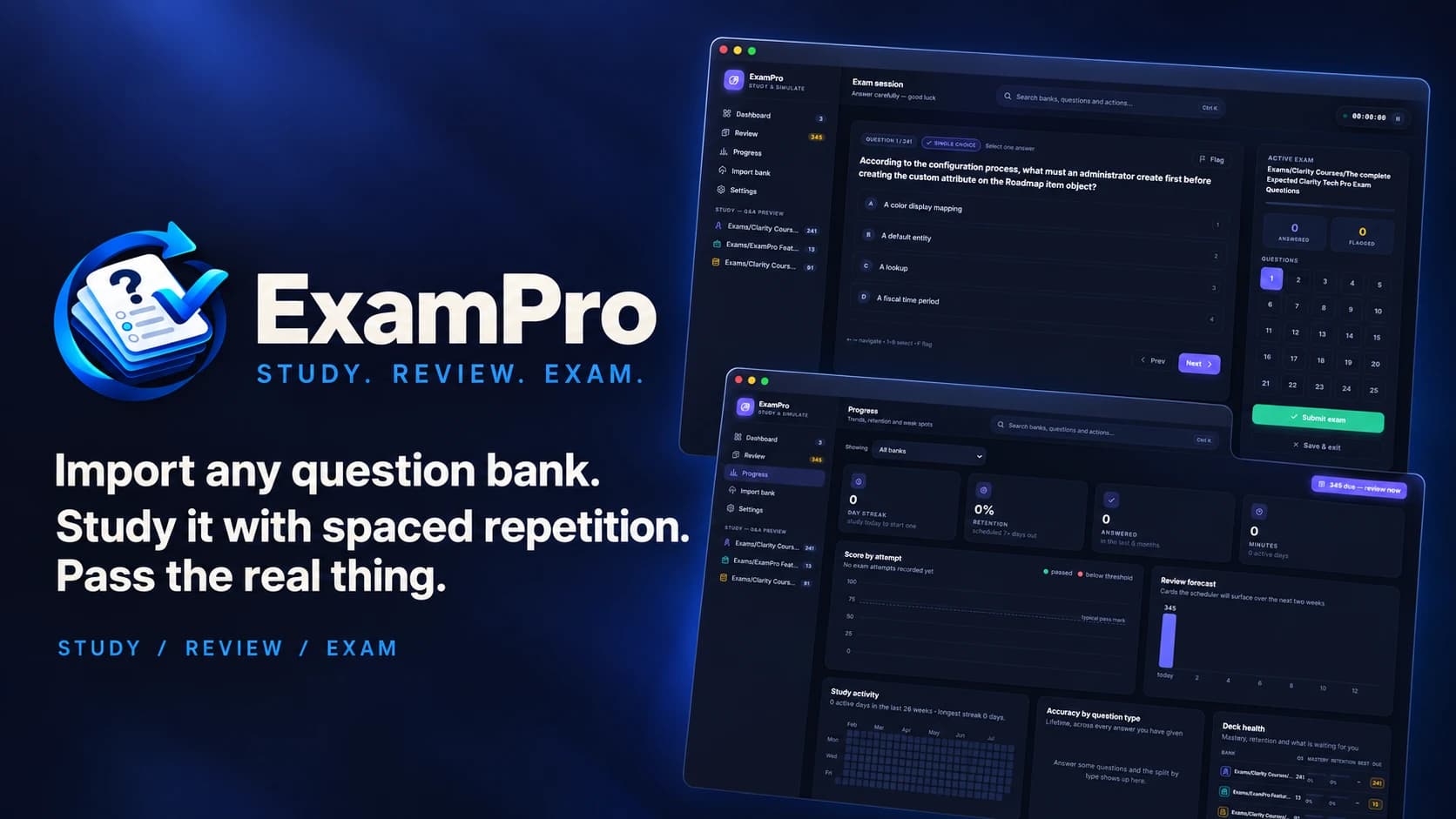
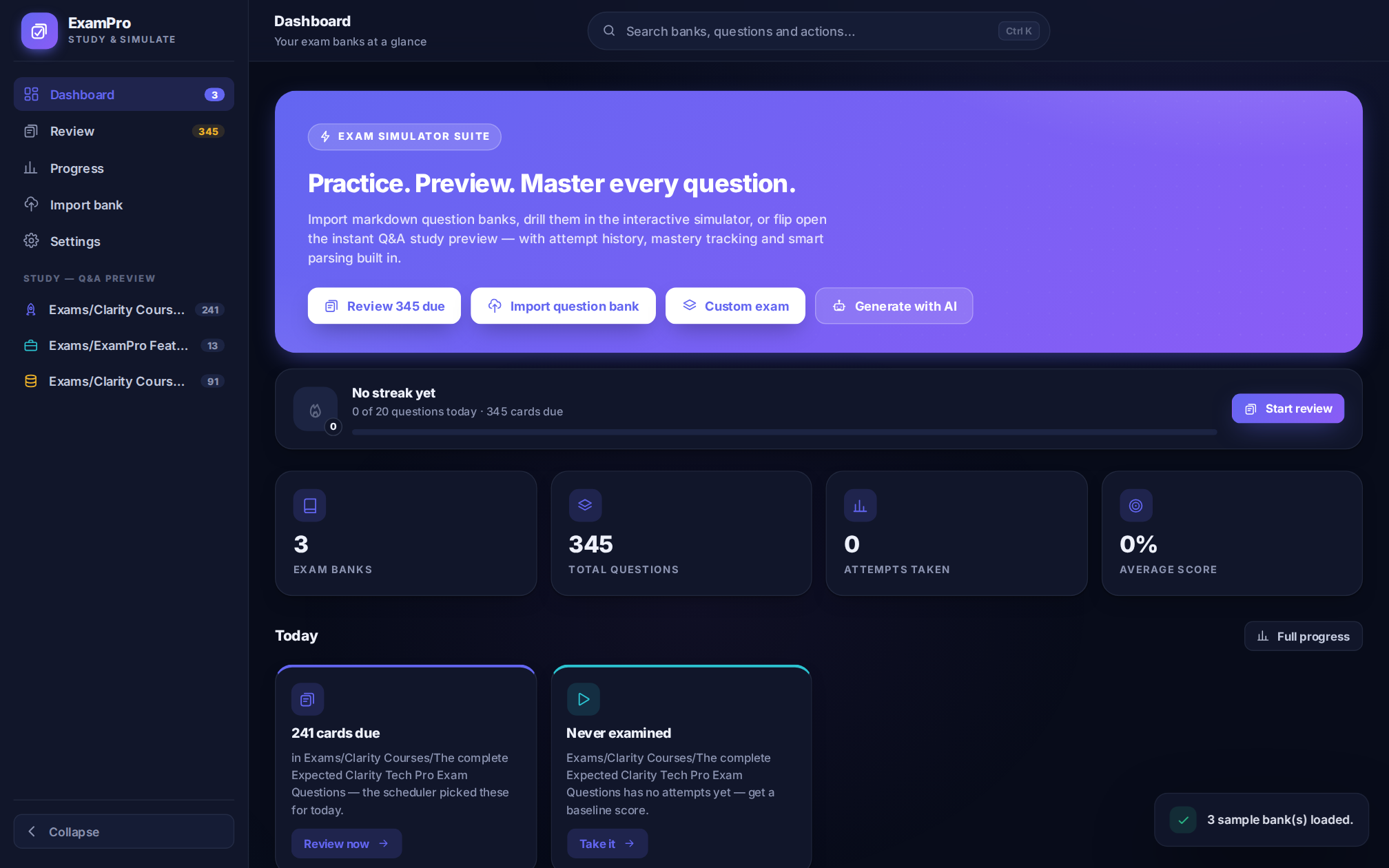
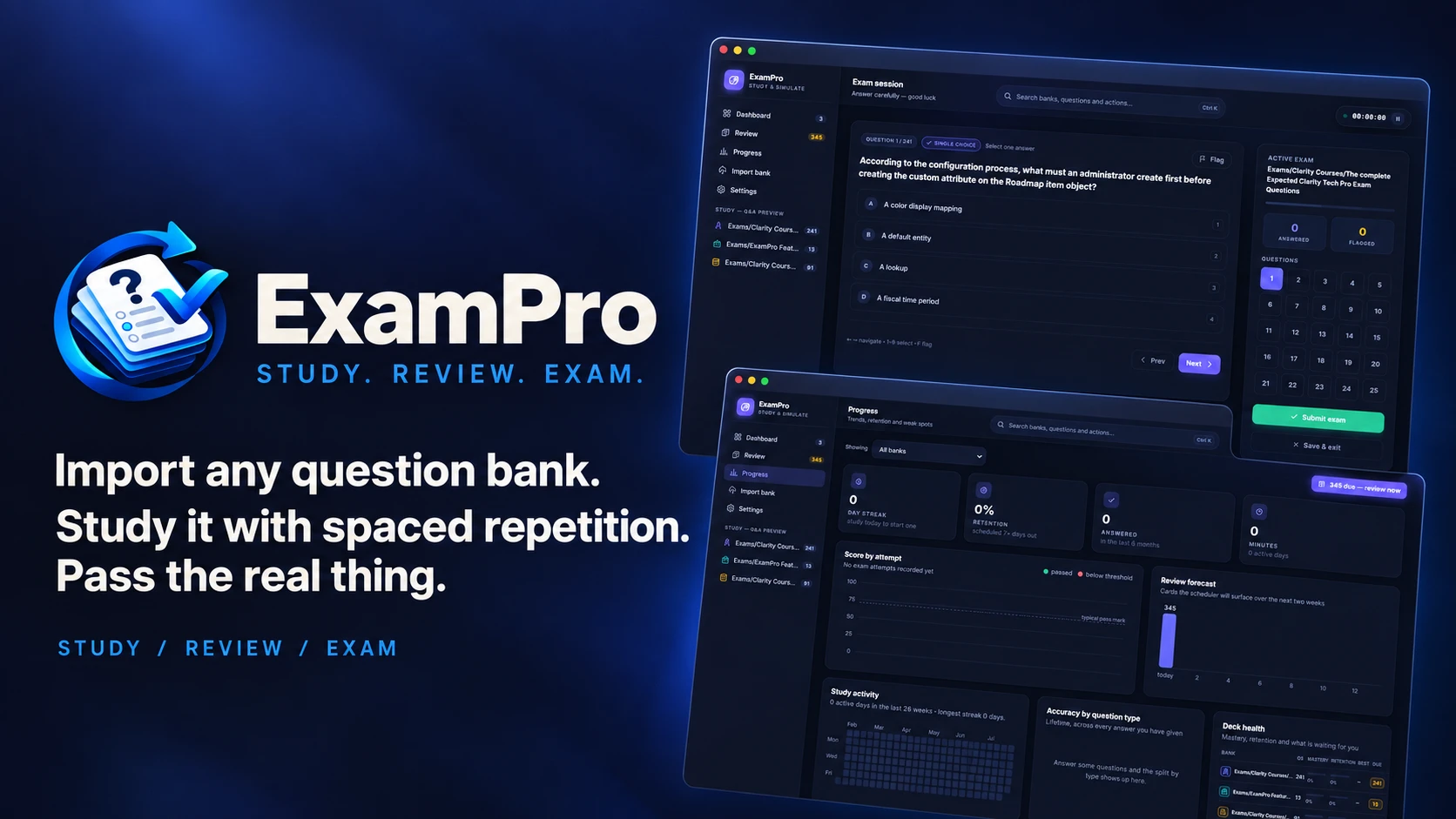
ExamPro turns a plain markdown or JSON question bank into three different ways to learn it:
- Study — every question and its answer, side by side, searchable and filterable, with a "quiz me" mode that hides answers until you ask.
- Review — one card at a time, active recall, scheduled by an SM-2 spaced repetition engine so the cards you're shaky on come back sooner and the ones you know get pushed weeks out.
- Exam — a timed, scored simulation with a countdown, question pools ("weak spots", "due for review", "never seen"), and a results page that tells you not just your score but where the clock went.
It's a React + Vite single-page app backed by Supabase (Postgres + Auth):
sign in, and your banks, scores and review schedule sync to your account and
follow you across devices.
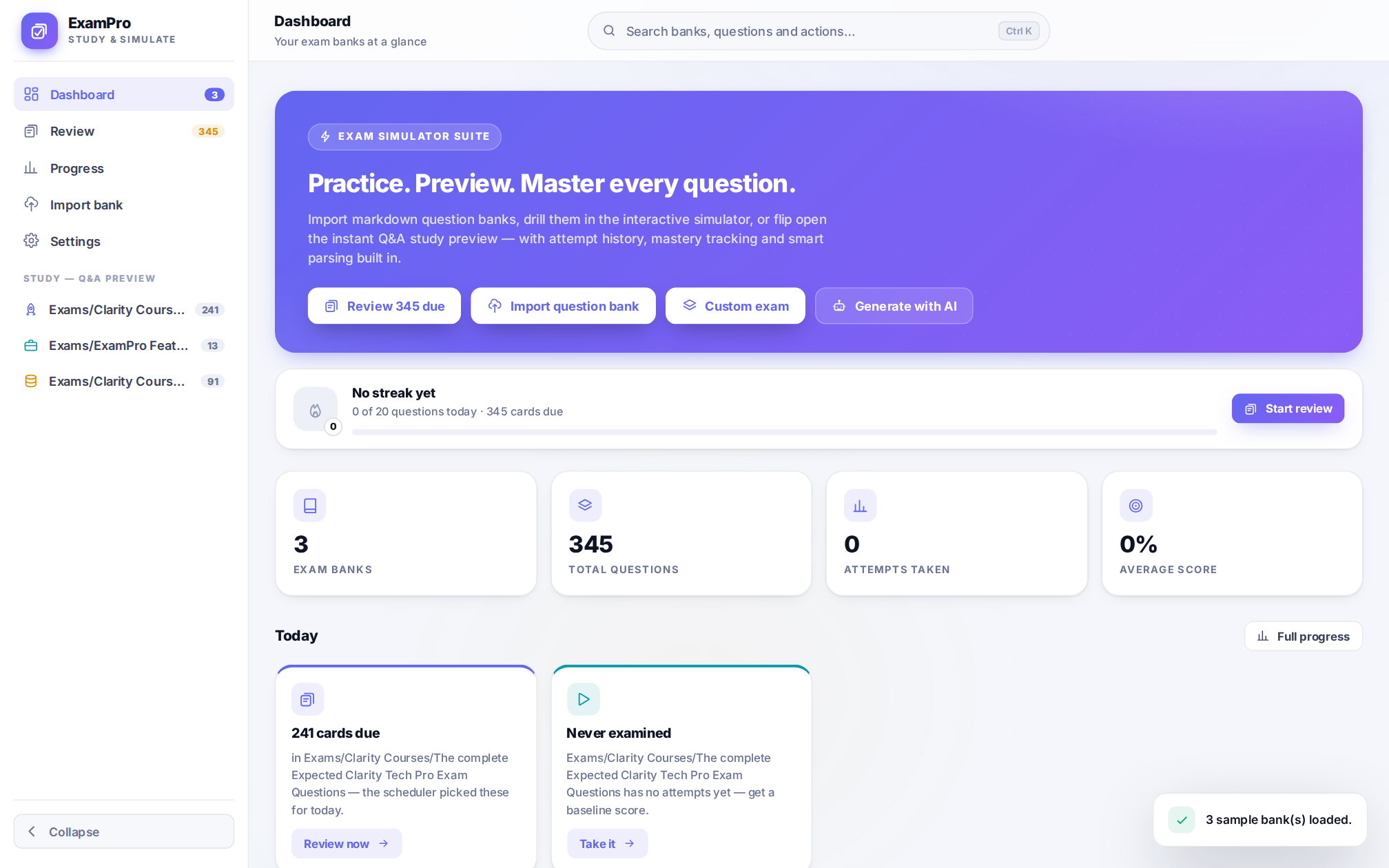
👉 Try it now — no install needed, or run your own copy against your own Supabase project (see below).
|
Study system
Exam engine
|
Progress & analytics
Everything else
|
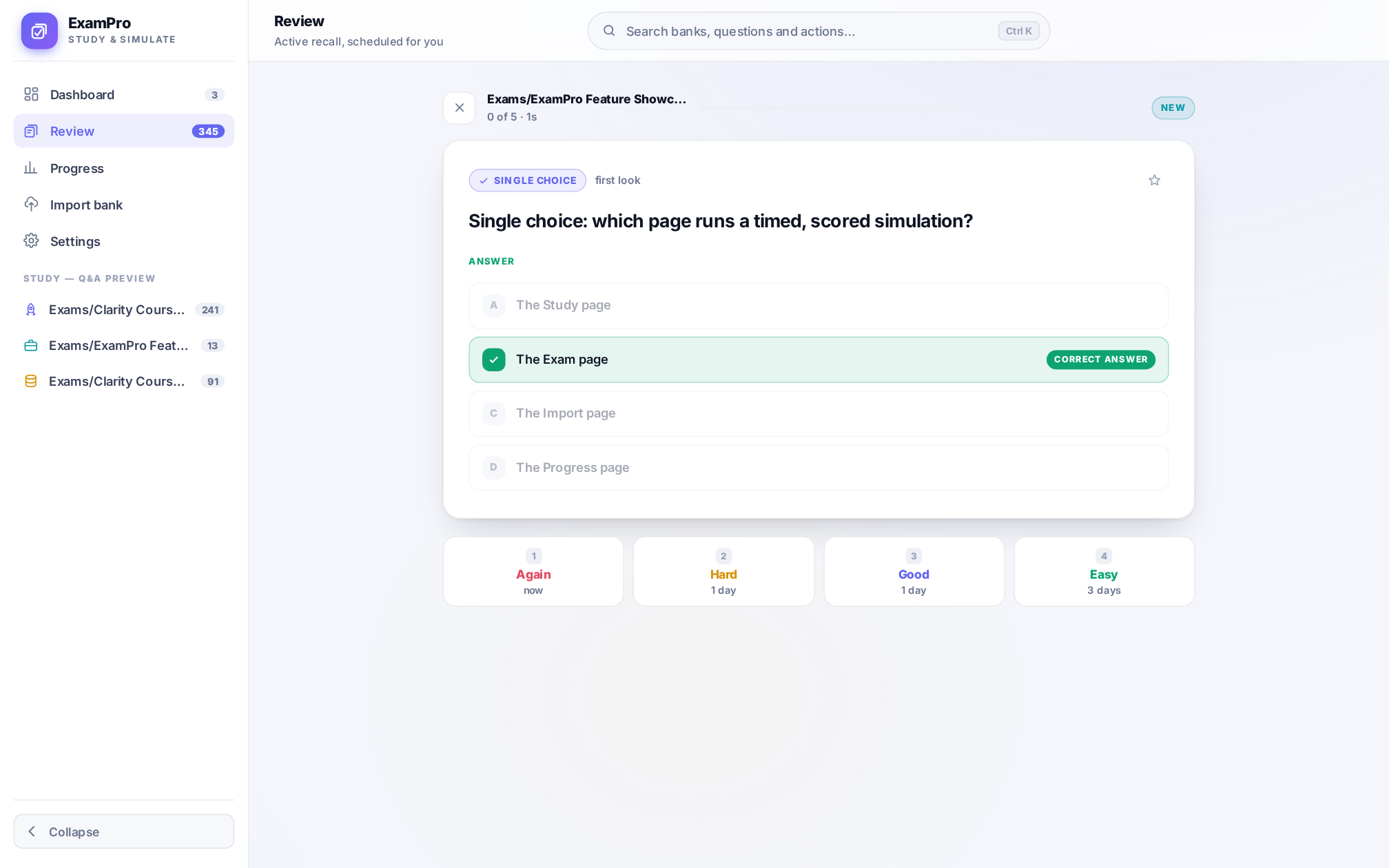 |
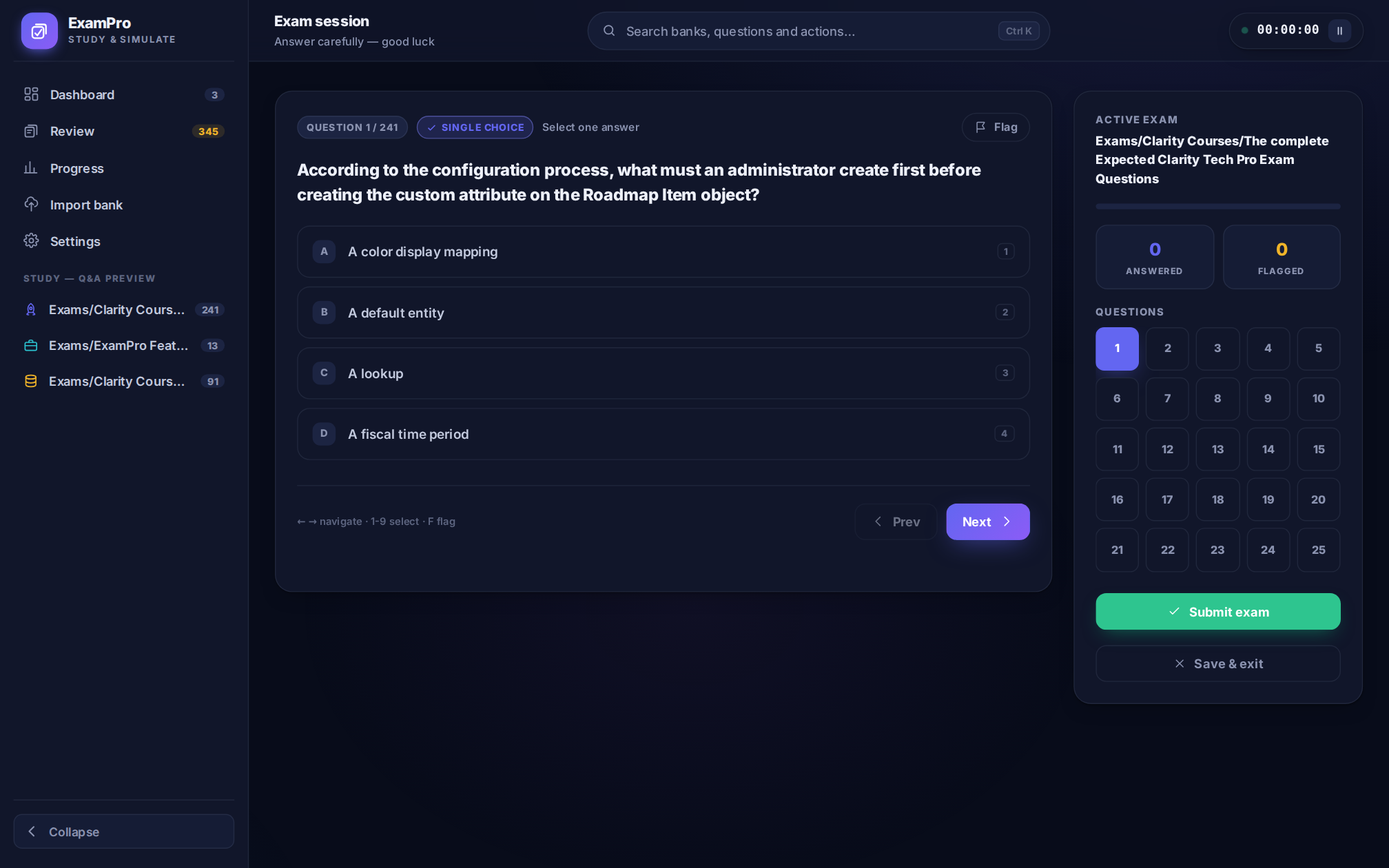 |
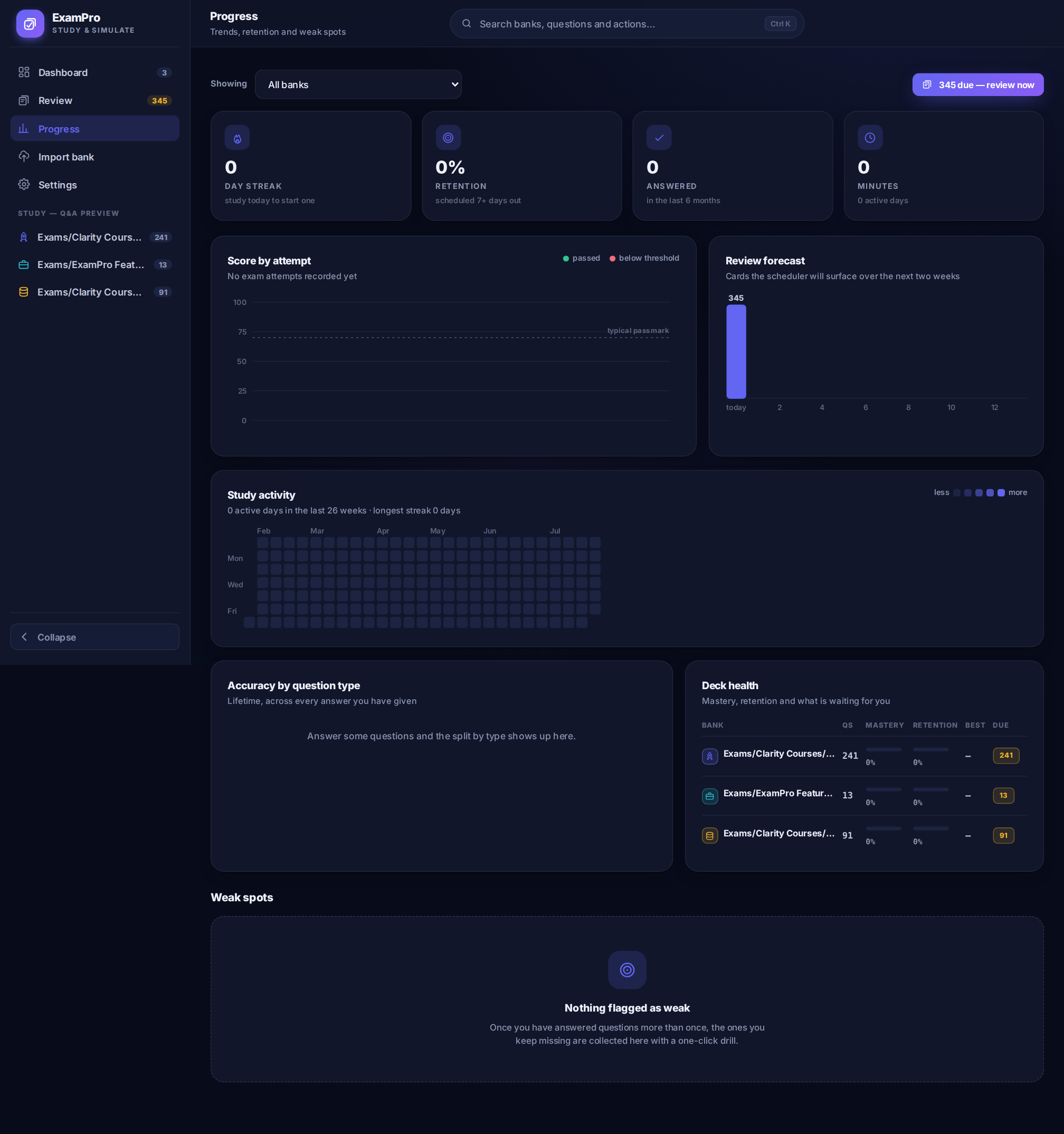 |
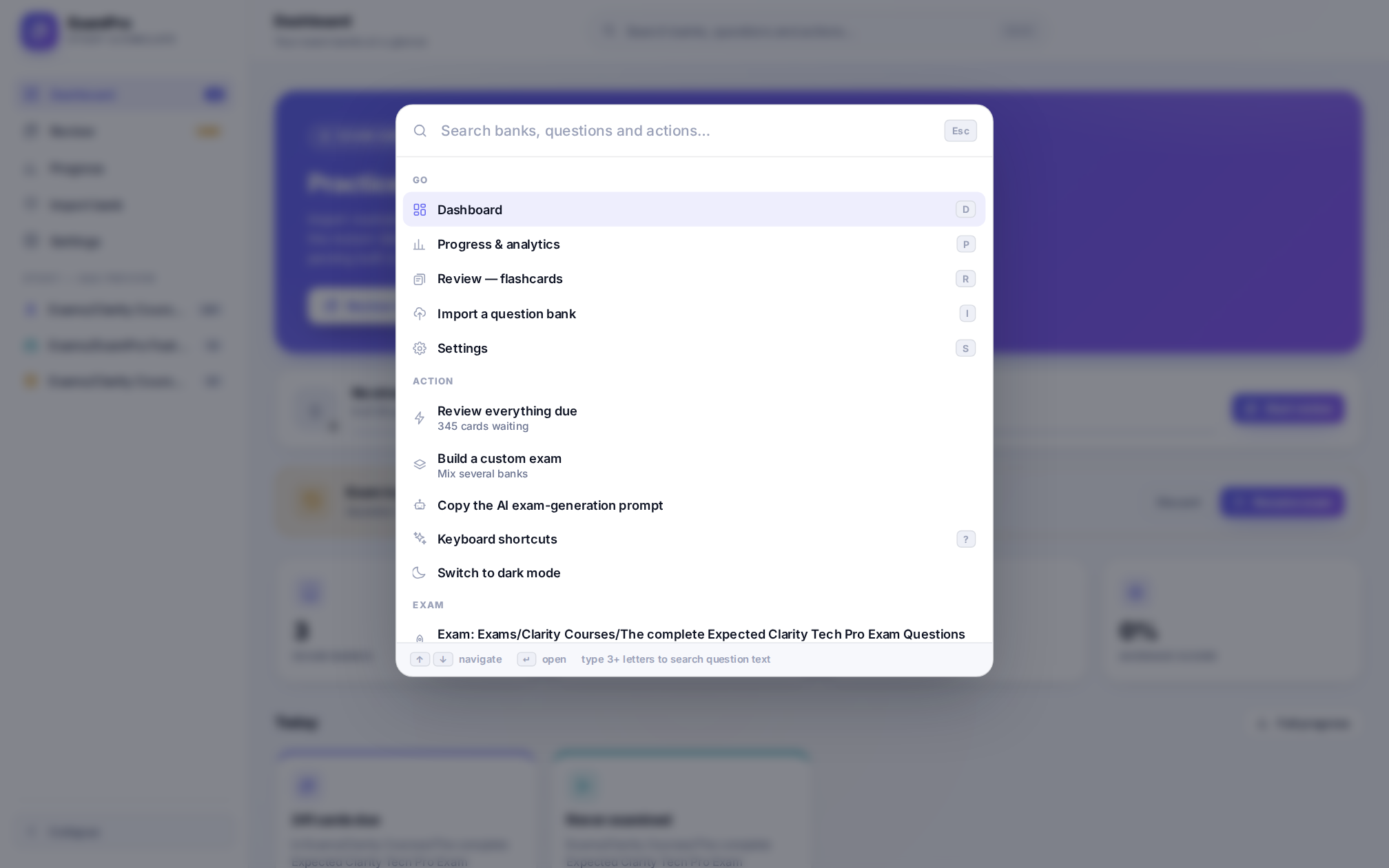 |
Settings — profile, appearance, study defaults, and pinned sidebar shortcuts
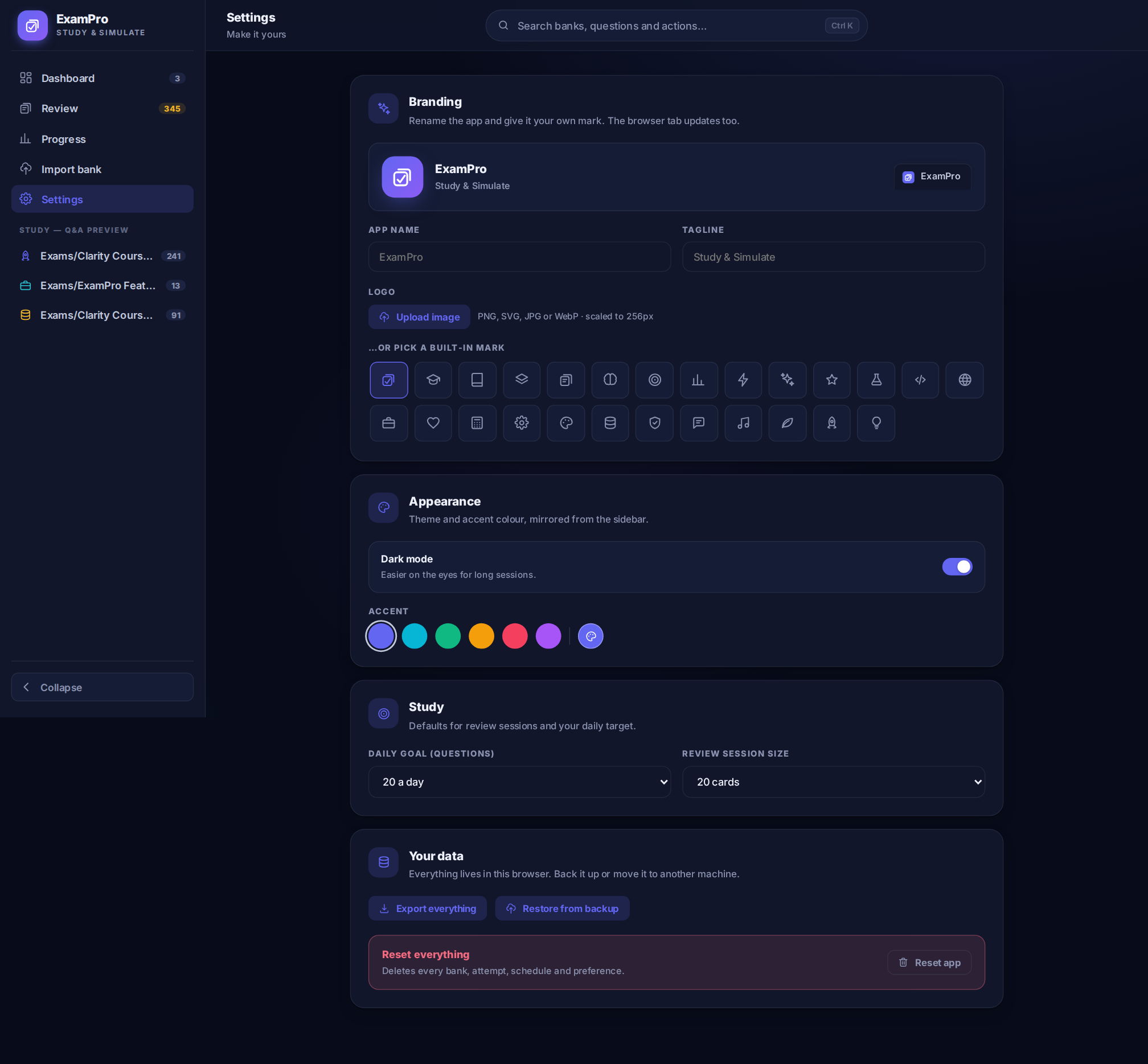
Want to just use it? Skip everything below and go straight to the live production instance — sign in and start importing question banks immediately.
To run your own copy locally:
git clone https://github.com/AmerZuher/Exam-Simulator.git
cd Exam-Simulator
npm install
This app needs a Supabase project to sign in and store data — there's no
offline/local-only mode. Two things before npm run dev will show real data:
- Create a Supabase project, then run
migrations/000_fresh_install.sqlin its SQL Editor — this single script creates every table (profiles, exam groups, exams, questions, study sessions, exam attempts, activity log) with Row-Level Security already configured. - Copy
.env.exampleto.envand fill in your Supabase URL + anon key.
Full walkthrough, including Google OAuth and what to run instead of
000_fresh_install.sql if you already have data to keep: docs/SETUP.md.
npm run devOpen http://localhost:5173.
Import → paste markdown or JSON → the importer validates it live and tells you exactly what didn't parse and why.
Markdown, the fast way to write a bank by hand:
### 1. Which learning technique uses increasing intervals between reviews to boost retention?

- [ ] Massed practice
- [ ] Spaced repetition
- [ ] Cramming
- [ ] Random review

### 2. Select all that apply: which are primary colors?

- [ ] Red
- [ ] Green
- [ ] Blue
- [ ] Purple

### 3. Matching: pair each term with its definition.

- [ ] Alpha
- [ ] Beta
      Definition A: first letter
      Definition B: second letter

### Answer Key

| Question Number | Correct Answer    |
| :-------------- | :---------------- |
| 1               | Spaced repetition |
| 2               | • Red <br>• Blue  |
| 3               | Alpha, Beta       |
Supported out of the box: single choice, multi-select, true/false, matching,
letter-keyed answers (B, c)), answer keys as a table or a list, images
(), audio ([audio: file.mp3]) and video ([video: file.mp4]).
Numbering can restart across sections of the same document — everything gets
renumbered on import.
You don't have to write questions by hand. Both the Dashboard and the Import page have a "Generate with AI" / "Copy AI prompt" button — click it and a prompt is copied to your clipboard, pre-written to make any AI chat (ChatGPT, Claude, Gemini, whatever you use) output questions in exactly the format ExamPro's parser expects. There's also a Beta in-app Generator screen that previews the same flow end-to-end — it isn't wired to a live AI pipeline yet, so Copy AI prompt is the working path today.
- Click Copy AI prompt.
- Paste it into your AI chat of choice, then paste in your own source material underneath — lecture notes, a textbook chapter, a study guide, documentation, anything you want to be quizzed on.
- The AI generates a full question set — single choice, multi-select, true/false, matching — already formatted as valid ExamPro markdown, answer key included.
- Copy its output straight into the Paste content box on the Import page and hit Parse & save bank.
No manual formatting, no guessing the syntax — the prompt tells the AI the exact rules (heading format, option style, matching layout, answer key table) so what comes back imports cleanly on the first try.
JSON works too — either a bare array of questions or the
{ "name", "questions": [...] } shape produced by Export as JSON. Paste
your own hand-written JSON and the importer fills in anything you omit.
For the complete, working reference — every question type, every answer-key
style, image/audio/video attachments, all annotated — see
Exams/ExamPro Feature Showcase.md
(and its JSON twin). Import it and
open Study to see exactly how each part was parsed.
| Key | Where | Does |
|---|---|---|
Ctrl/⌘ K |
anywhere | Open the command palette |
D / R / P / I / S |
anywhere | Dashboard / Review / Progress / Import / Settings |
? |
anywhere | Keyboard shortcut help |
/ |
Study | Focus the search box |
← → |
Exam | Previous / next question |
1–9 |
Exam | Select an answer option |
F |
Exam | Flag the current question |
Space |
Review | Flip the card |
1 2 3 4 |
Review | Grade: Again / Hard / Good / Easy |
- React + TypeScript, built with Vite. Views live in
src/components/views/, shared UI insrc/components/ui/, cross-cutting state (auth, theme, exams, groups) insrc/contexts/. - Supabase is the backend — Postgres for storage, Supabase Auth for
sign-in (Google or email/password). All queries go through
src/services/, never straight from components. - Row-Level Security on every table means a signed-in user only ever sees their own exams, questions, sessions and attempts — enforced by Postgres, not app code.
- The database schema is plain SQL, not an ORM — see
migrations/and docs/SETUP.md for which script to run and when. - The SM-2 scheduler (
src/utils/srs.ts) and the markdown/JSON importer (src/utils/parser.ts) are both plain, DOM-free TypeScript — unit-testable without a browser. - Installable.
public/manifest.json+public/service-worker.jsmake it a PWA that caches itself for offline use.
index.html Vite entry pointpublic/ manifest.json PWA manifest service-worker.js offline cachesrc/ App.tsx, main.tsx routing (hash-based) and bootstrap components/ ui/ shared primitives — Button, Input, Card, Modal, Badge, Dropdown, Toast layout/ AppShell, Sidebar, CommandPalette views/ Dashboard, Study, Review, Exam, Practice, Results, Progress, Settings, Importer, Generator, Group, Login contexts/ Auth, Profile, Exams, Groups, DashboardStats, Theme, Toast, Dialog, ... hooks/ thin hooks over the contexts above services/ all Supabase calls — supabase.ts client, examsService, profilesService, activityService utils/ srs.ts SM-2 scheduler parser.ts markdown/JSON → question bank (DOM-free, unit-testable) icons.tsx, slug.ts, ... styles/app.css the entire design system — one file, CSS custom propertiesmigrations/ Supabase SQL schema — run 000_fresh_install.sql for a new project, see docs/SETUP.md for upgrading an existing oneExams/ a sample question bank demonstrating every supported formatdocs/ setup, testing, and screenshots setup, testing, and screenshots
Banks, scores, the review schedule, and your account preferences all live in your own Supabase project's Postgres database, scoped to your signed-in account via Row-Level Security — nobody else can read or write your rows, including other users of the same deployment.
Because it's your Supabase project, you own the database: back it up, inspect it with SQL, or export any individual bank as JSON from its menu on the Dashboard at any time.
The React app is treated as untrusted — it never holds elevated access. Every real protection lives in Postgres, on the database itself:
- Row-Level Security on every table.
migrations/000_fresh_install.sqlenables RLS onprofiles,exam_groups,exams,questions,study_sessions,exam_attempts,activity_log, andquestion_perf, with every policy scoped toauth.uid()— a signed-in user's queries physically cannot return or modify another user's rows, no matter what the client sends. Child tables (questions,study_sessions, ...) inherit ownership through the parentexam/user_id, checked the same way. - Only the public anon key ships to the browser.
VITE_SUPABASE_ANON_KEYis designed to be public — it has no privileges beyond what RLS grants the authenticated user holding it. The Supabaseservice_rolekey (which bypasses RLS) is never used client-side and isn't referenced anywhere insrc/. - No unsafe HTML rendering. Imported question banks (markdown/JSON,
potentially from someone else) are parsed into plain data and rendered as
ordinary React children, which auto-escapes. There's exactly one
dangerouslySetInnerHTMLin the codebase (src/utils/icons.tsx), and it only ever renders a hardcoded, developer-authored icon set — never imported or user-supplied content. - Your own AI provider key stays yours. If you set one in Settings, it's
stored in
profiles.ai_api_key, readable only by your own account under the same RLS policy as the rest of your profile.
This was verified with a dedicated security pass before this stack was published (RLS policies read line-by-line, every Supabase call site checked, auth/redirect flow traced) — no exploitable issue was found.
- Set up a Supabase project and run
migrations/000_fresh_install.sql - Click Deploy with Vercel above (reads
vercel.json, zero build config needed) and fill in the environment variables it asks for - Once it's live, add the deployed URL to Supabase → Authentication → URL Configuration → Redirect URLs — sign-in fails without this step
Full walkthrough, including Google OAuth setup and deploying to other static hosts (Netlify, Cloudflare Pages, GitHub Pages): docs/SETUP.md.
Is there a live version I can just use? Yes — exam-simulator-amer-zuhers-projects.vercel.app is the production instance. Sign in with Google or email/password and it's ready to go.
Does this need an internet connection? Yes — banks, scores and the review schedule are stored in Supabase, so you need connectivity to sign in and sync. The app shell itself is installable as a PWA and caches for offline browsing of already-loaded data.
Can I use it on my phone? Yes — it's responsive, and installable as a PWA from a browser's "Add to Home Screen" menu.
Can multiple people use the same deployment? Yes — each person signs in with their own account and Row-Level Security keeps everyone's banks, scores and progress isolated from everyone else's.
What happens if I clear my browser data? Nothing — your data lives in Supabase, not the browser. Sign in again on any device and it's all there.
The idea for this project started as a collaboration between Kimi K3 and DeepSeek V4 Pro. The UI overhaul, feature buildout, and the React + Supabase rebuild in this version were done with Claude Opus 5 and Claude Sonnet 5 (Anthropic), via Claude Code.
MIT — see LICENSE. Do what you want with it; attribution is appreciated but not required.